
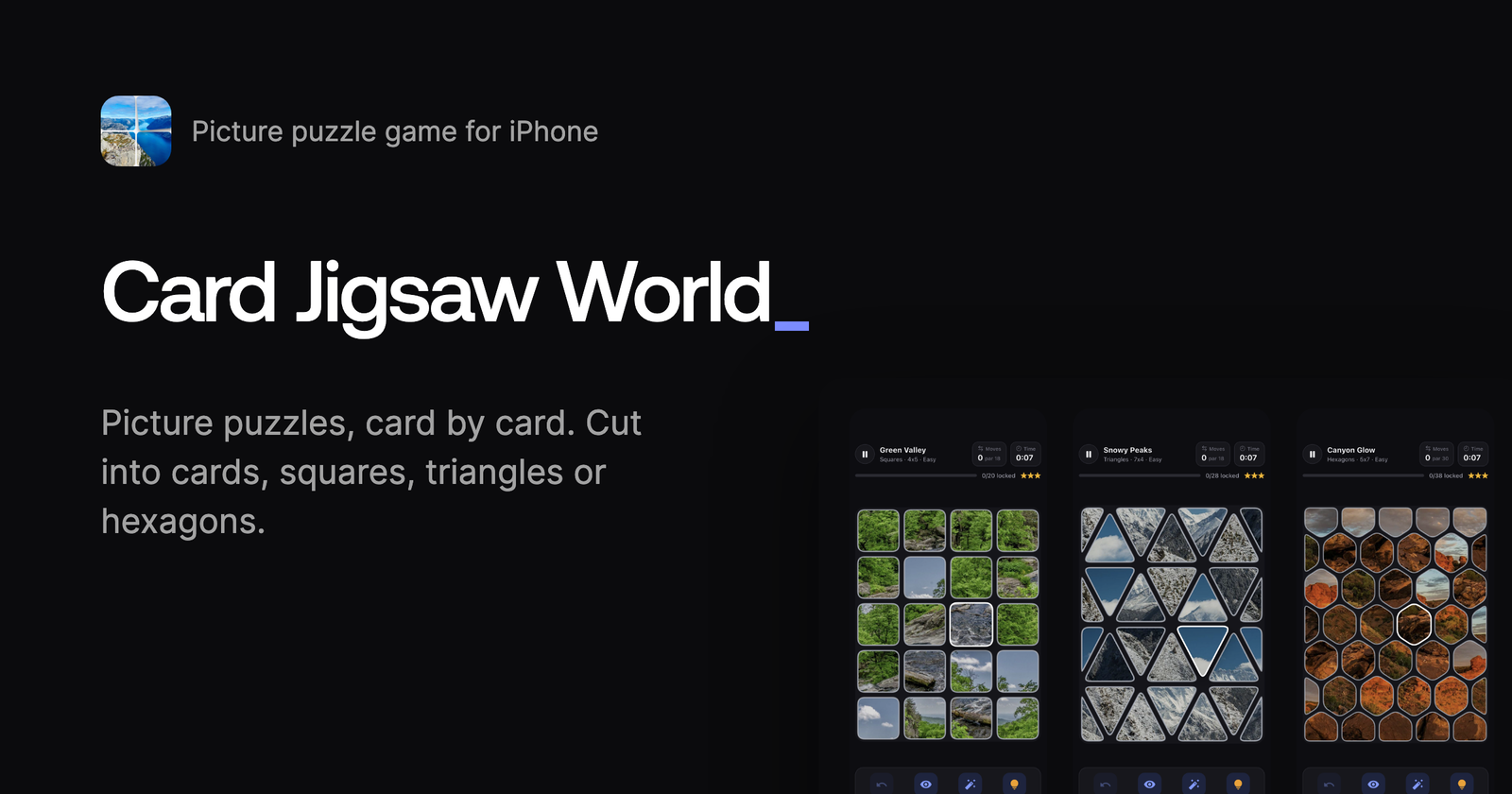
Vision
I have always liked puzzle games, and a while ago I came across a few apps that cut the picture into cards instead of classic jigsaw pieces. You swap two cards, and when a card lands in its spot, it locks. The idea was great, but every app I found was very minimal, and none of them took it seriously. So I decided to give it proper polish.
The bigger reason was learning. I had never published a mobile game, and I wanted to go through the whole process myself: App Store review, in-app purchases, subscriptions, privacy questionnaires, and all the legal hoops in between. A free-to-play economy was also new to me, so I decided to design one from scratch.
How the game plays:
- A photo is cut into pieces and shuffled across the board. Tap two pieces to swap them, or drag one where it belongs.
- Pieces that are neighbours in the picture snap together anywhere on the board and move as one group.
- A piece in its true spot locks into place.
- Fewer moves earn more stars. Every board has a par, the minimum number of swaps needed to solve it.
The game took around a week to build, and most of the work happened while I was asleep. Agents ran overnight, using my session limits on the backlog, and in the morning I had a new build on my phone to test.
Technologies
- Flutter with Riverpod and go_router
- Appwrite Auth, including native Sign in with Apple
- Appwrite Databases
- Appwrite Storage
- Appwrite Functions
- Appwrite Sites
- StoreKit 2 and TestFlight
- Claude Code with Opus and Fable models
I picked Flutter because I want to release on Android in the future. As a bonus, getting the web build online took a few minutes.
Screens
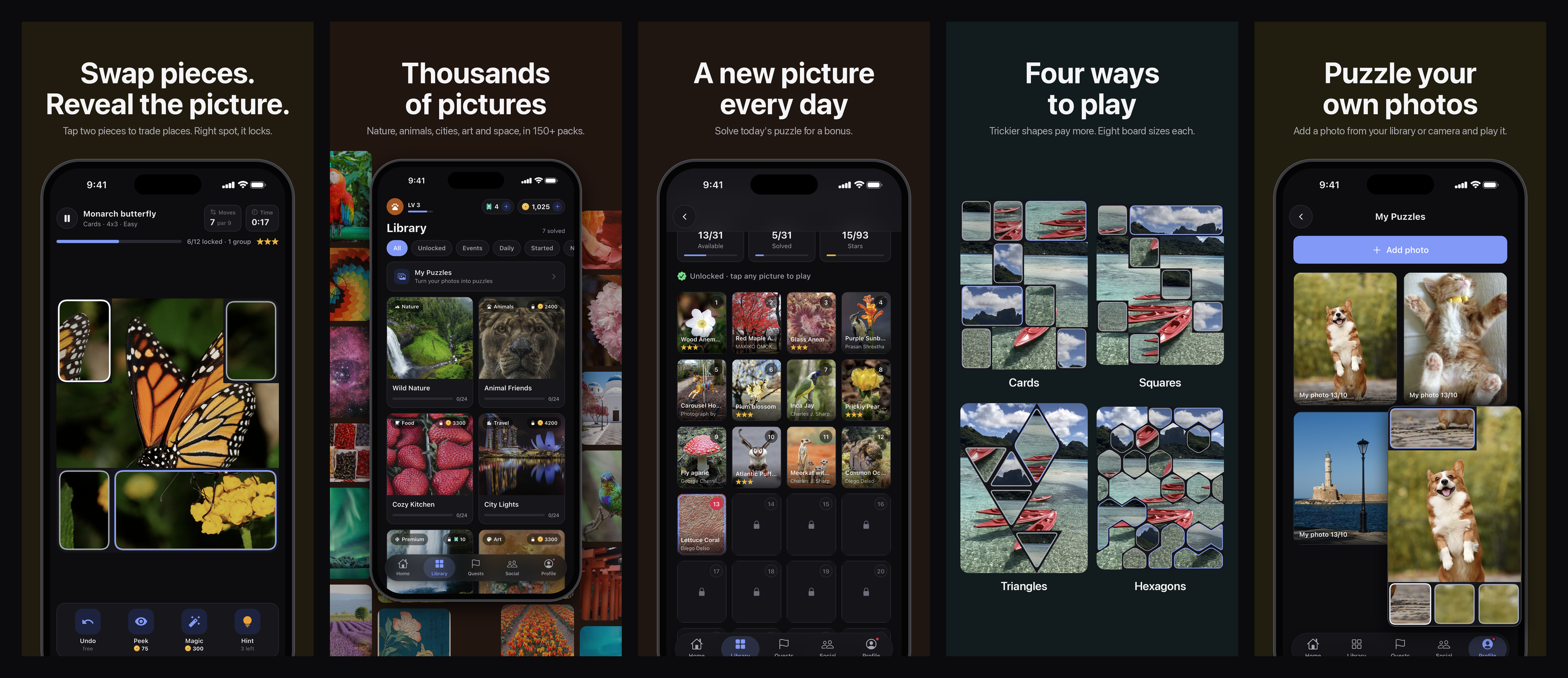
Every App Store slide is built from a screenshot taken by an integration test, and a script puts the captions and phone frames around it. When the design changes, the slides are regenerated instead of redrawn by hand. The first five slides introduce the core loop: swapping pieces, thousands of pictures, a new picture every day, four ways to play, and puzzling your own photos.
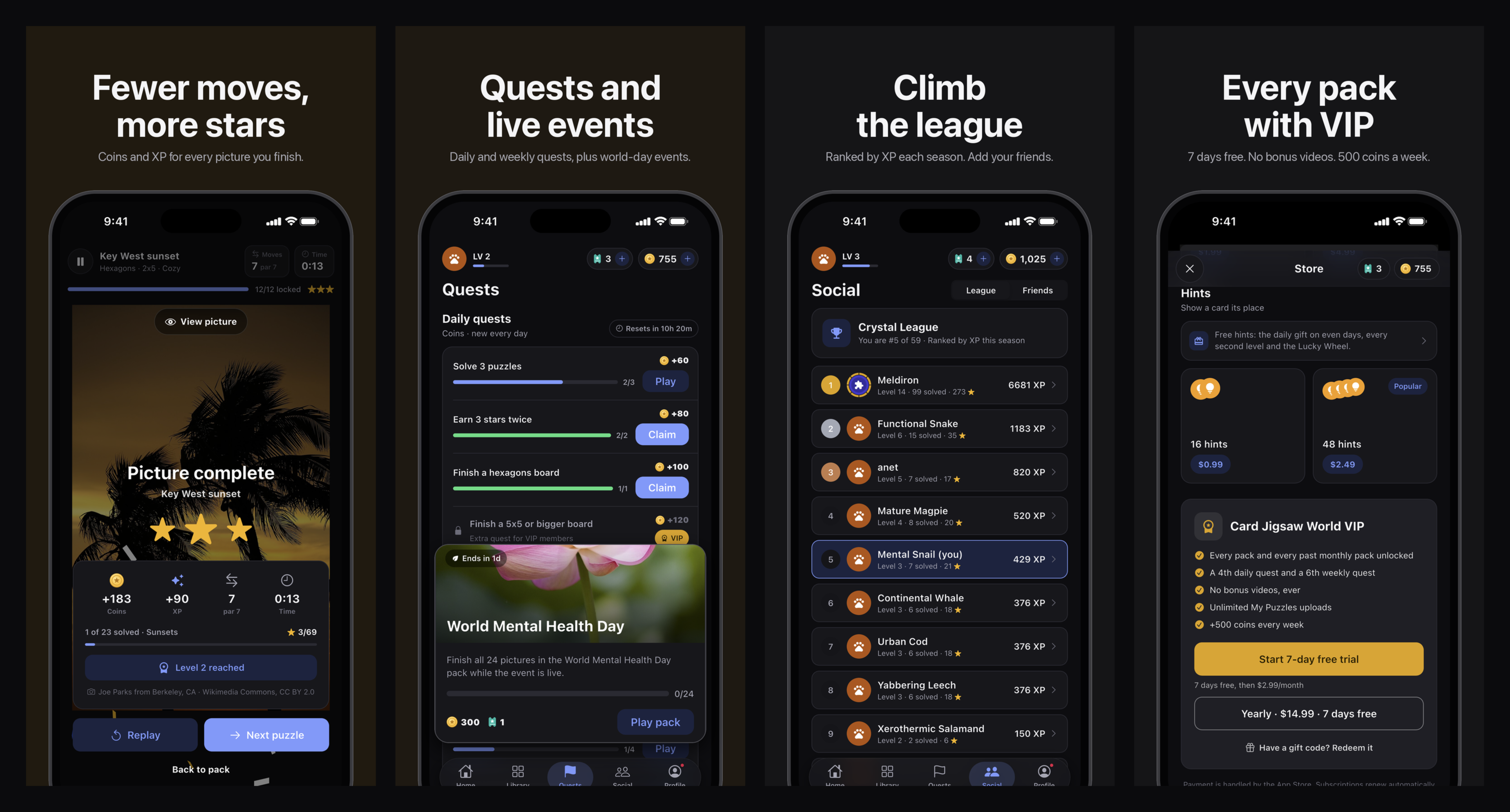
The remaining slides cover progression: stars for fewer moves, quests and world-day events, the league, and VIP.
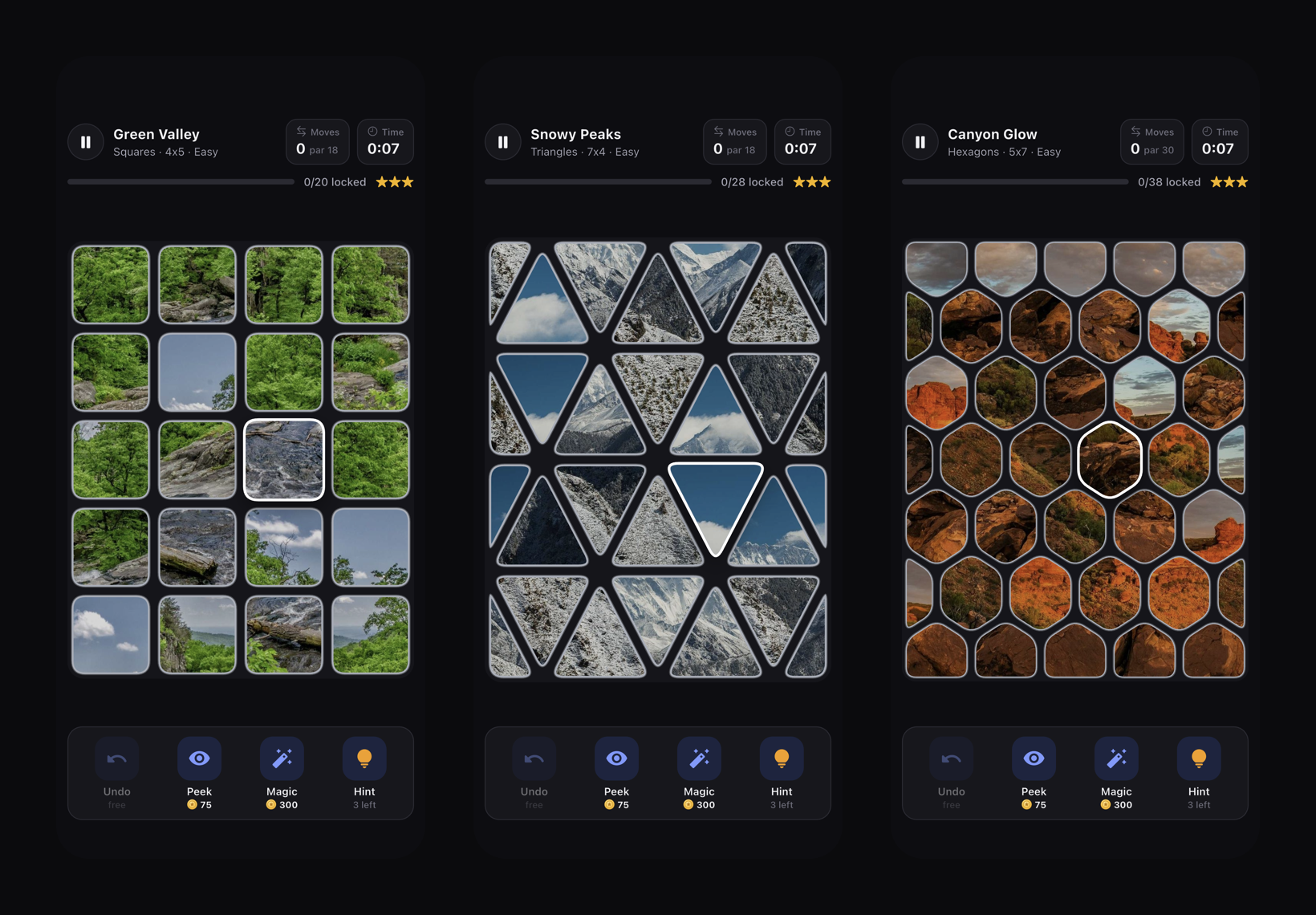
A picture can be cut into cards, squares, triangles or hexagons. Harder shapes pay more: squares give 15% more coins and XP than cards, triangles 35%, and hexagons 50%. Each shape has eight board sizes, from cozy boards of 9 cards up to 108 triangles, and new shapes unlock as the player levels up. Triangle and hexagon boards cover the whole picture, so the edges are made of half pieces.
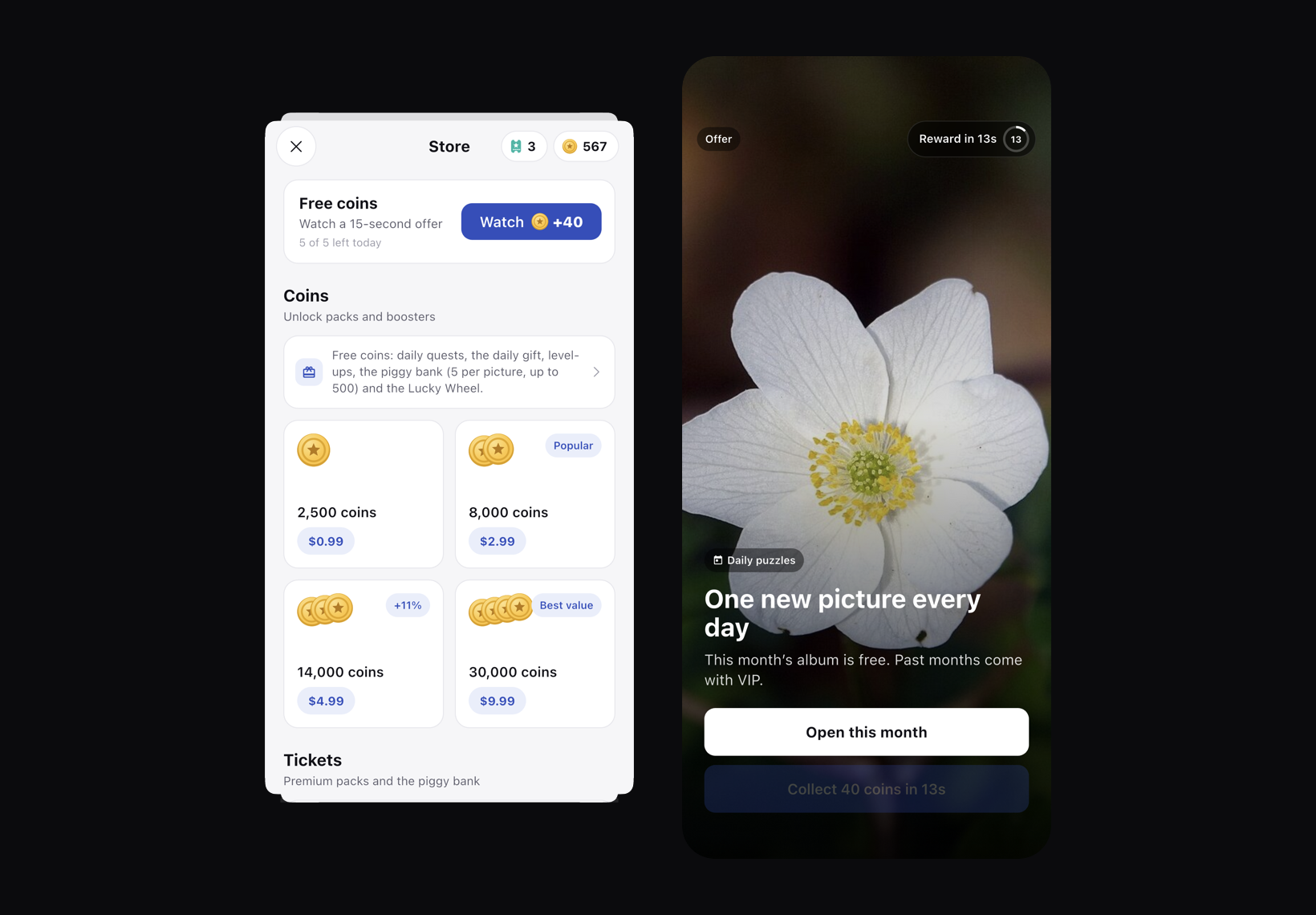
I didn’t want ads in the game, but I still wanted to give players a reason to try VIP. So I took inspiration from Spotify: the game shows short breaks between puzzles, closable after 5 seconds, and optional 15-second videos for bonus coins. Every one of these “ads” promotes the game’s own store, and VIP members never see them. There is no ad network and no analytics SDK in the app.
Purchases go through StoreKit 2, both one-time coin packs and the VIP subscription. Nothing is granted on the device. An Appwrite Function verifies every transaction against Apple’s certificates and applies each one exactly once. The same function receives App Store Server Notifications, so subscription changes and Family Sharing stay in sync. For pricing, I looked at competitors and went cheaper on purpose: VIP costs $2.99 a month or $14.99 a year, and a dollar buys a standard pack.
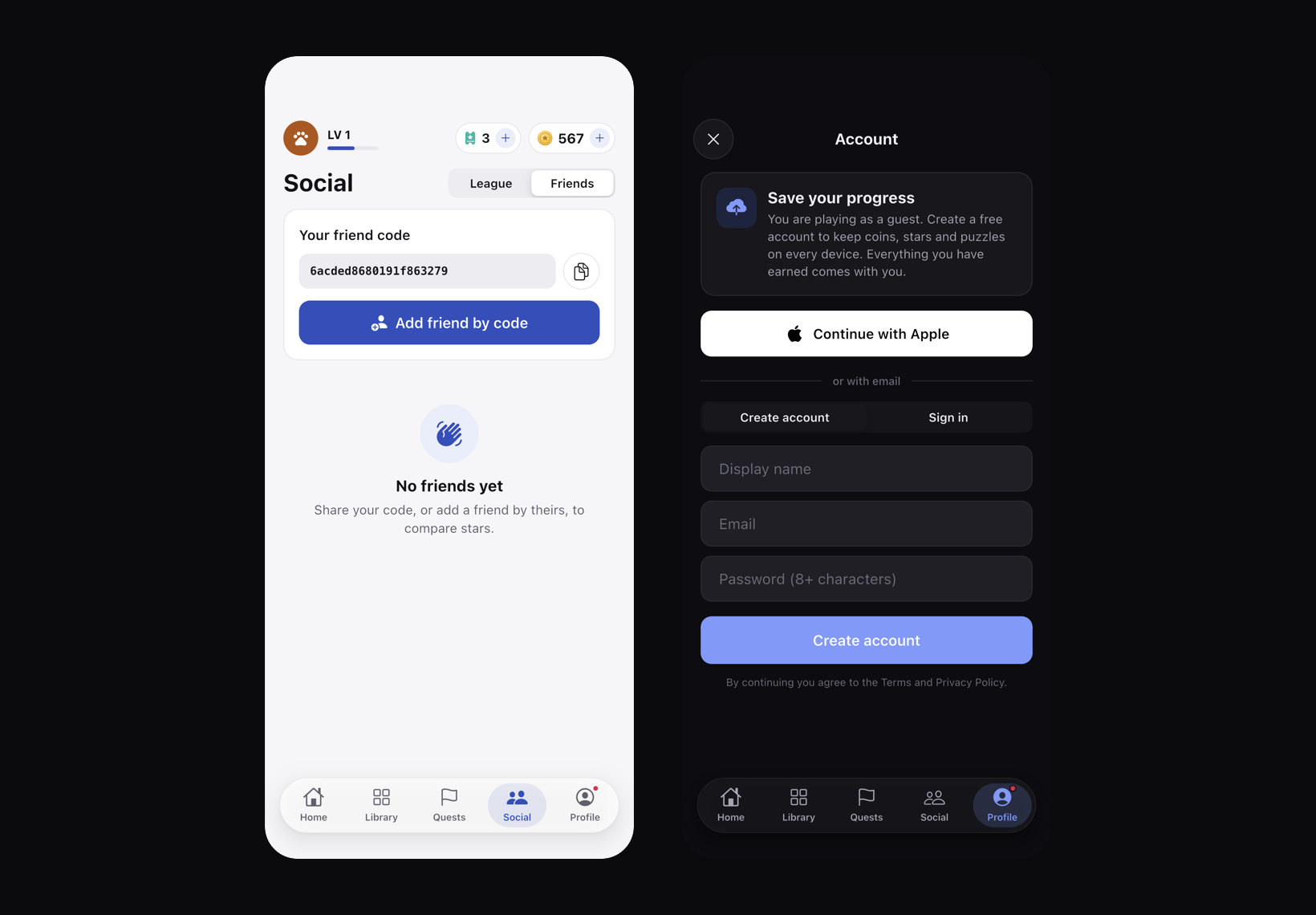
Friends and the league are both powered by Appwrite. Players add each other by friend code and compete by XP each season, with public profiles readable by anyone and everything else protected by row-level security.
The game works offline first and syncs across devices. A new player gets a guest account on first launch and can later sign in with email or Apple. Sign in with Apple is native: the app passes Apple’s ID token to Appwrite instead of opening a browser. If a player already has progress on another device, the two saves merge automatically, and when neither save clearly wins, the player picks one.
Retrospective
After the first TestFlight build, my role changed. I mostly acted as a tester: I played the game, noted what I liked and what I didn’t, and sent it as TestFlight feedback. At night, agents read that feedback through Apple’s API, fixed it, tested it on the simulator, and prepared a new build. TestFlight turned out to be great for this. It collects crash reports and feedback in one place, and because Apple exposes both through an API, much of the bug fixing can run as a daily routine.
To keep this safe, the repository has a set of owner rules that agents must follow. One of them says that only my feedback counts as a product decision. Without it, any tester’s comment could quietly turn into a feature, and I wanted to stay the one deciding where the game goes.
The picture catalogue needed the most process. The first packs had poorly chosen photos, so I spent a lot of time preparing skills and tooling for picking pictures. The rules are strict: no people, no repeats, portrait or square only, no text, at least 20 pictures per pack, and only free licences with the author and licence stored for every picture. One pack can take an hour to make, but the quality is consistently high. My part was reviewing the sources by hand and providing API keys. Ideas, licence checks and the rules themselves were written by the agents.
The Appwrite dashboard taught me a lesson too. With only a few players, I was already reaching millions of database reads, because every launch read the whole catalogue of around 8,700 rows. Now a daily function packs the catalogue into one compressed file, devices download it once a week, and on launch they only ask for rows that changed. Reads per launch dropped from 8,741 to 26, and my Appwrite bill dropped with them.
The hardest parts were:
- Giant boards on a phone. Boards of 100 to 300 cards felt impossible at first, with cards all over the place. They are now dealt in zones, so one huge puzzle plays like a handful of normal ones, and tools like Locate and Gather help with navigation.
- Multi-device save sync. Devices send intentions like “earn 300 coins” instead of new totals, and Appwrite’s atomic operators apply them, so two devices add up instead of overwriting each other.
- The App Store process. StoreKit, review, and all the agreements were the main thing I came to learn, and also the slowest.
The detail I am proudest of is the haptic feedback. Pieces snapping and locking feel very good in the hand.
If I could change one thing, I would run a proper security pass earlier. I haven’t yet pointed agents at the attack surface to find and fix weak spots. The sensitive parts, like purchases, already run in Appwrite Functions, so I am confident whatever they find can be fixed there.
Future plans
Next, I want to research competitors in more depth and reach feature parity with them. After that, the plan is to release on Android.