
Vision
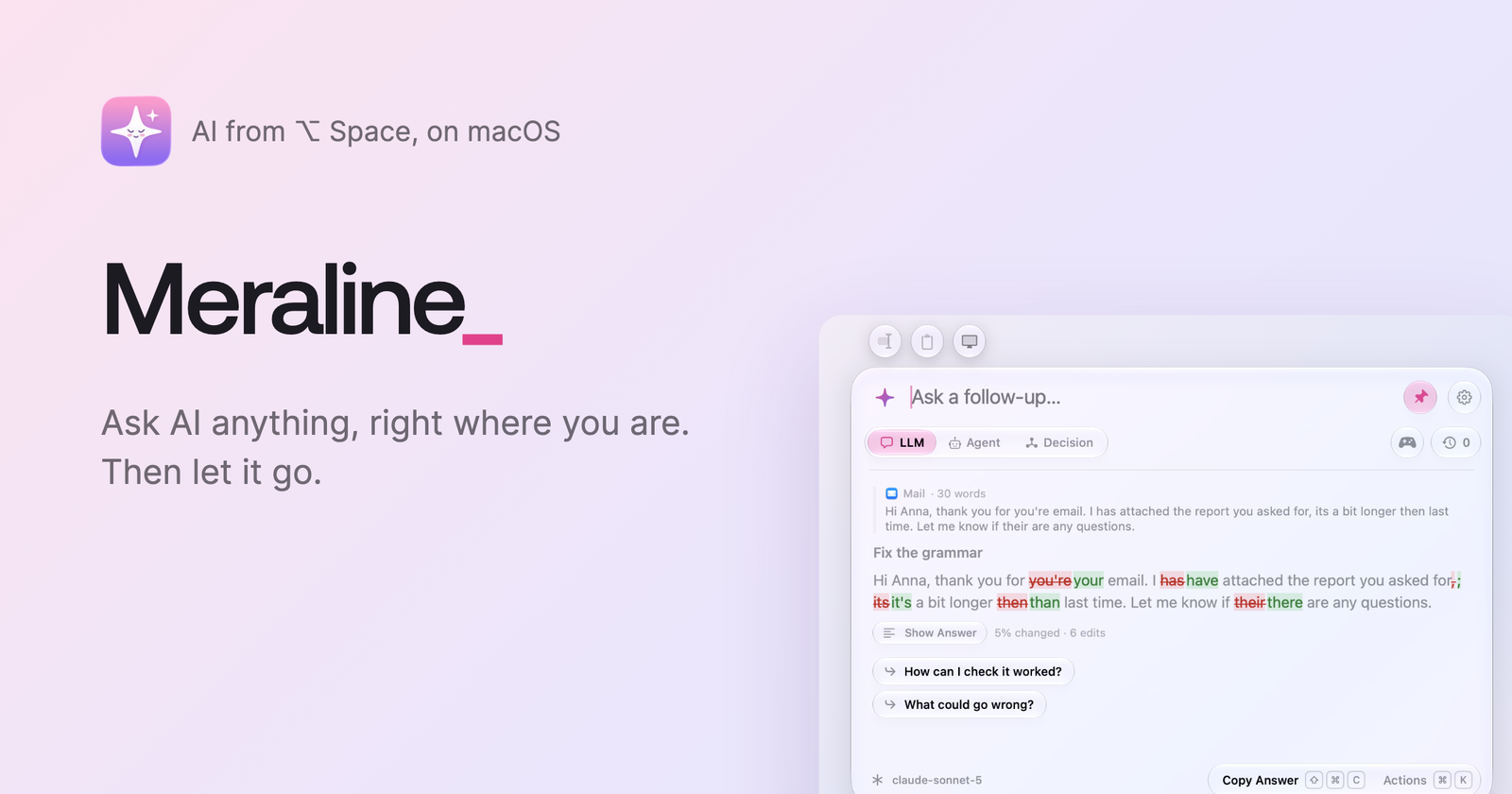
For quick AI questions, I used Raycast with my own API keys. When Raycast made bring-your-own-key a paid feature, I went looking for an alternative. I wanted something that opens from a shortcut anywhere on the Mac, answers fast, and is open source. I couldn’t find one I liked, so I built Meraline.
The core idea is that a quick question doesn’t need a history. You press ⌥ Space in any app, a small floating panel appears, you ask, you get the answer, and you let it go. Chats live only in memory. Each one stays for 30 minutes after the last message, in case you closed the panel by mistake or want to recall something you just talked about, and then it is gone. Nothing is written to disk, and there is no backend or analytics.
The name follows the same idea: ephemeral, shortened to Meral, which became Meraline, a name for a friendly assistant.
I built it for anyone, but mainly for myself and my friends. There was no prototype. Version 1.0 shipped on the first day, because I believe a product is best tested when it’s used, and 14 more releases followed within 13 days.
Technologies
- Swift 6, SwiftUI and AppKit, with macOS 26 Liquid Glass
- Apple Foundation Models for on-device answers and follow-up suggestions
- Anthropic, OpenAI, Gemini, OpenRouter and Ollama APIs
- Claude Code, Codex and OpenCode as agents, with MCP servers
- TypeSafe Jev and other decision models
- Sparkle, Homebrew and GitHub Actions for releases
- Remotion for the trailer
- Claude Opus for most of the work, Fable for the critical flows
I went native precisely for Liquid Glass and the best possible fit with macOS. There are no plans for other platforms right now.
Screens
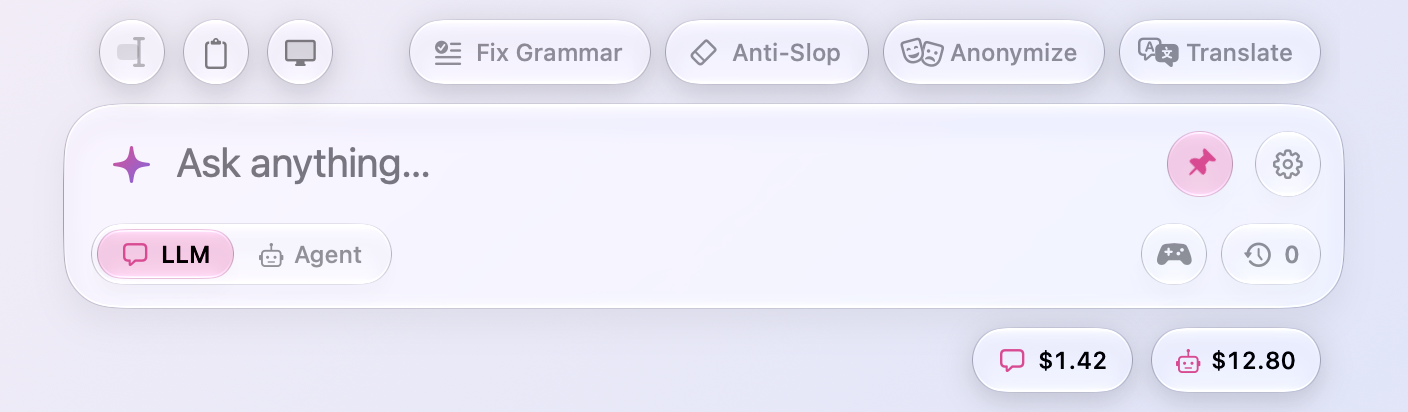
An empty panel shows presets like Fix Grammar or Anonymize, and two small capsules with today’s spend on LLMs and agents. Three buttons above the panel attach context: the selected text from any app, the clipboard, or a screenshot.
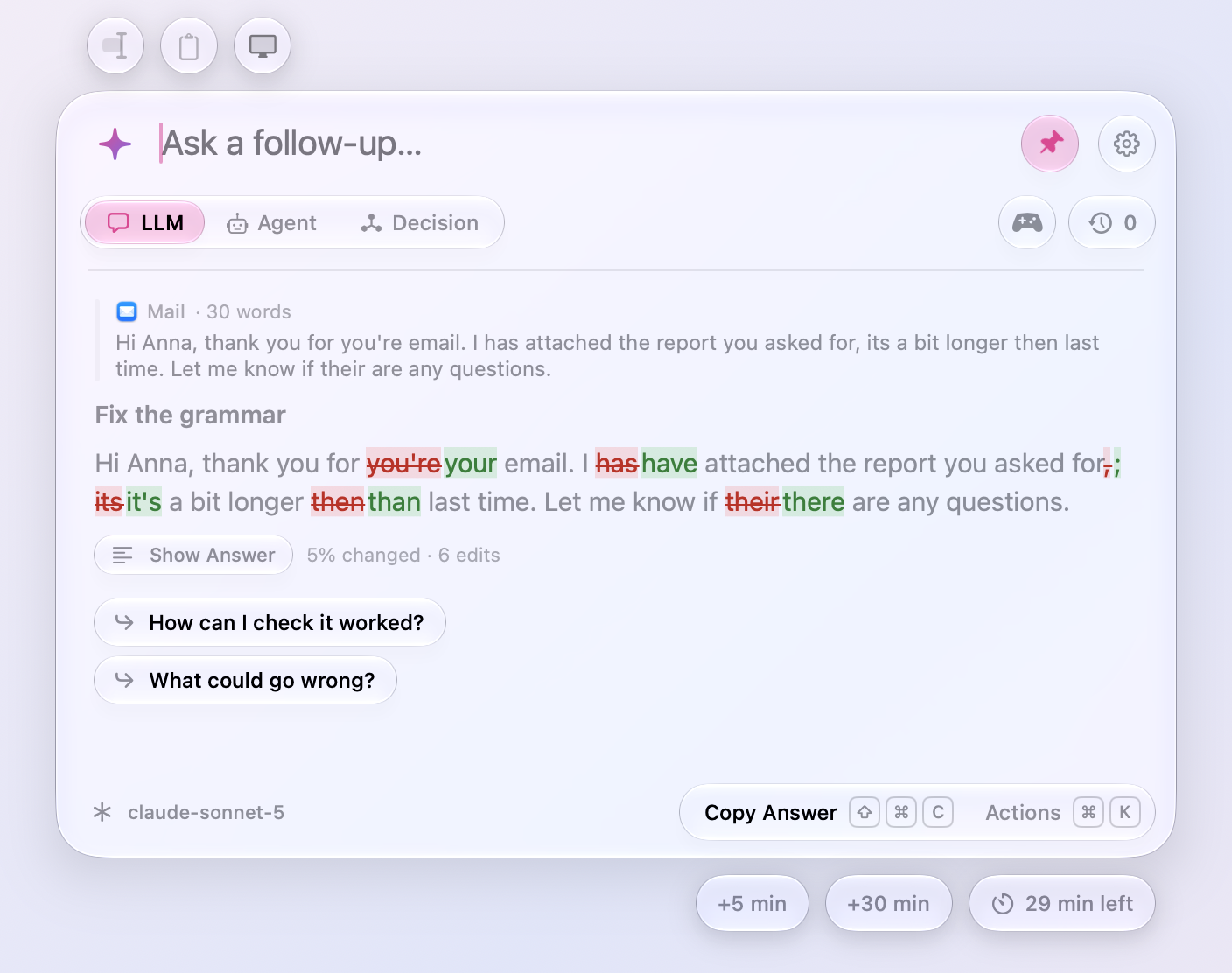
When a preset fixes the grammar of a selected email, Show What Changed displays a word-level diff against the original, so you can see what changed before pasting it back. Here the fix touched 5% of the text with 6 edits.
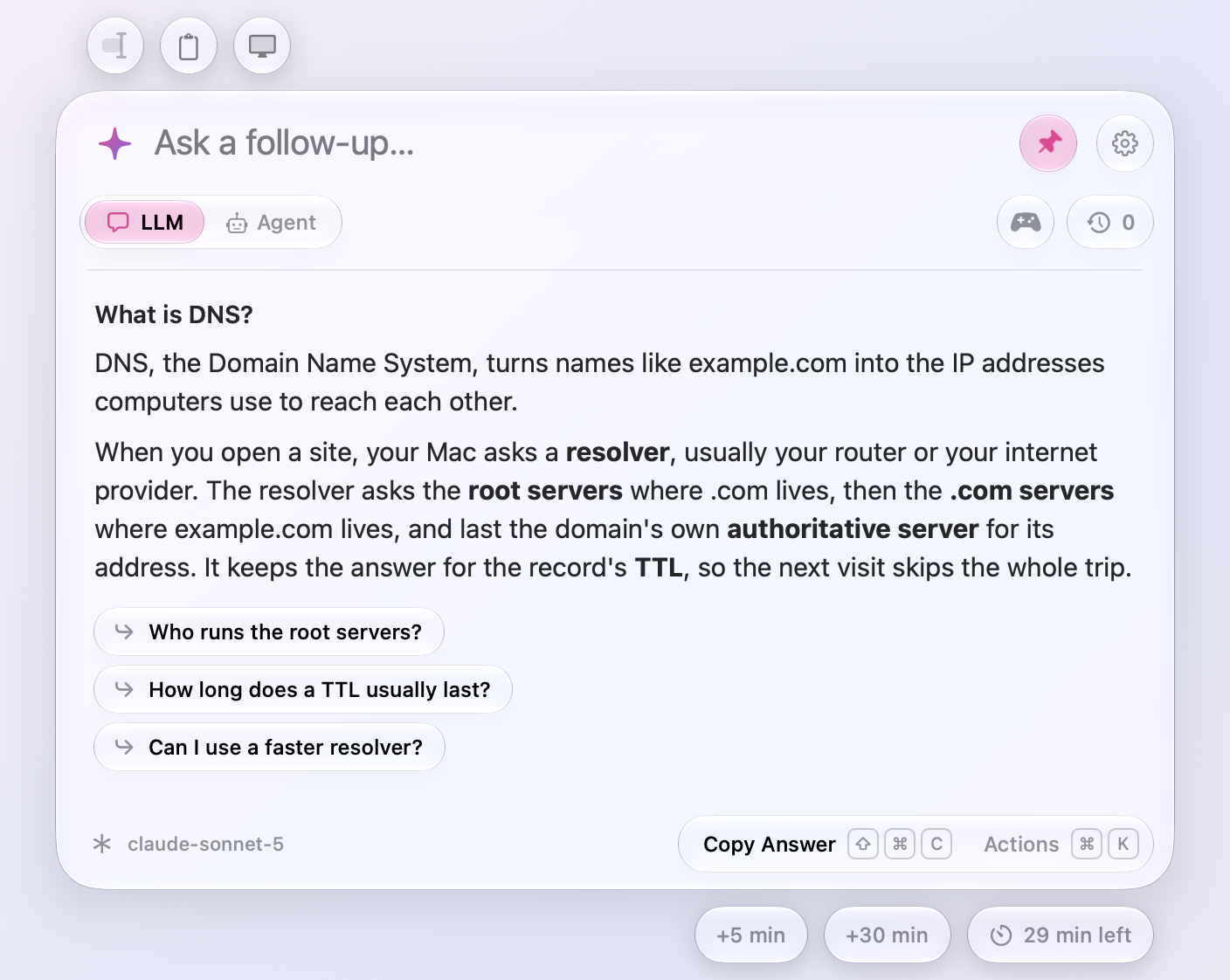
Under each answer, Meraline suggests two or three follow-up questions. They are generated on-device with Apple’s Foundation Models, never by the paid provider, so they cost nothing.
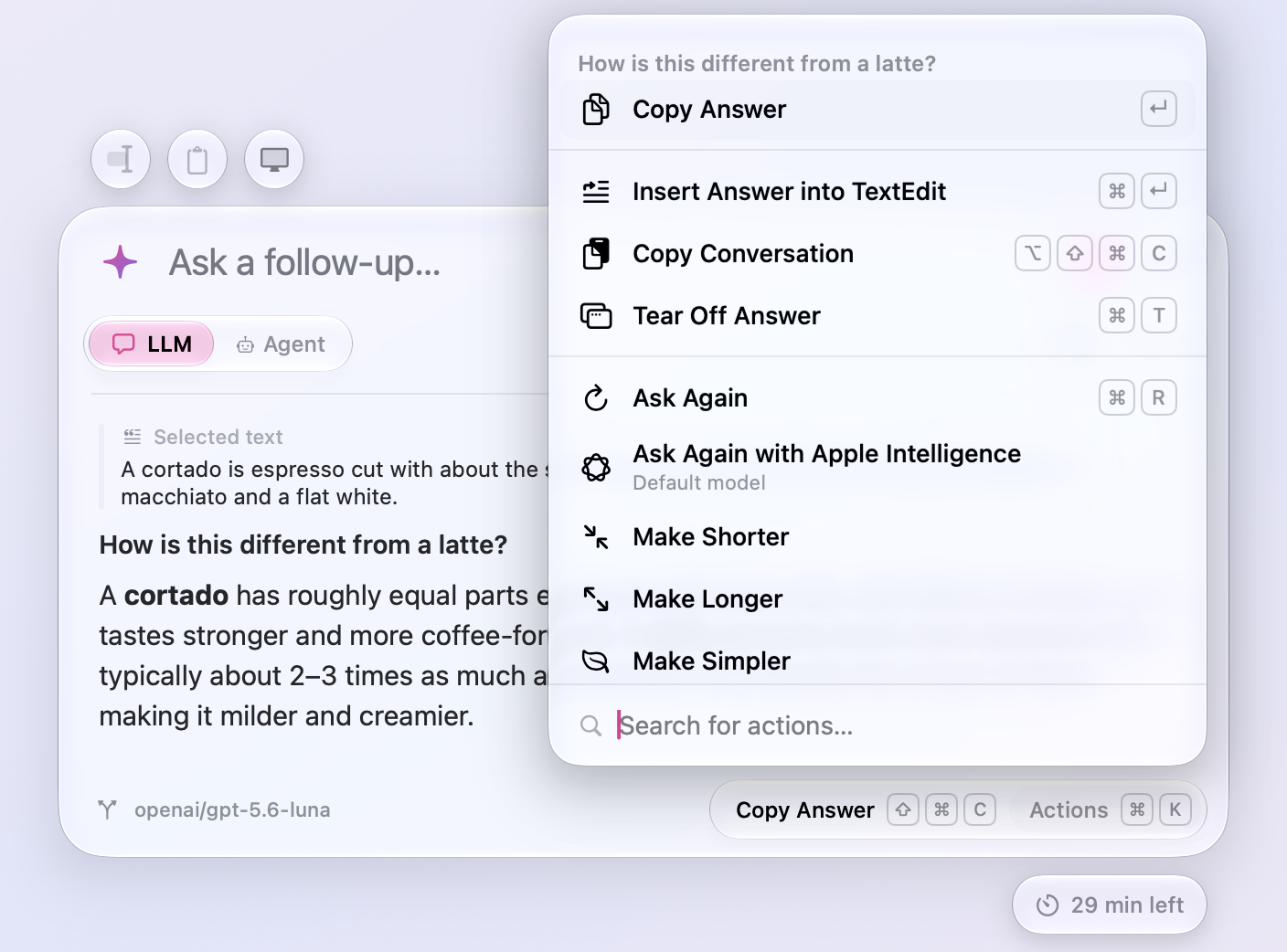
⌘K opens an action panel inspired by Raycast. You can insert the answer into the app you came from, copy the conversation, tear the answer off into a floating note, ask again with another provider, or rewrite it shorter, longer or simpler.
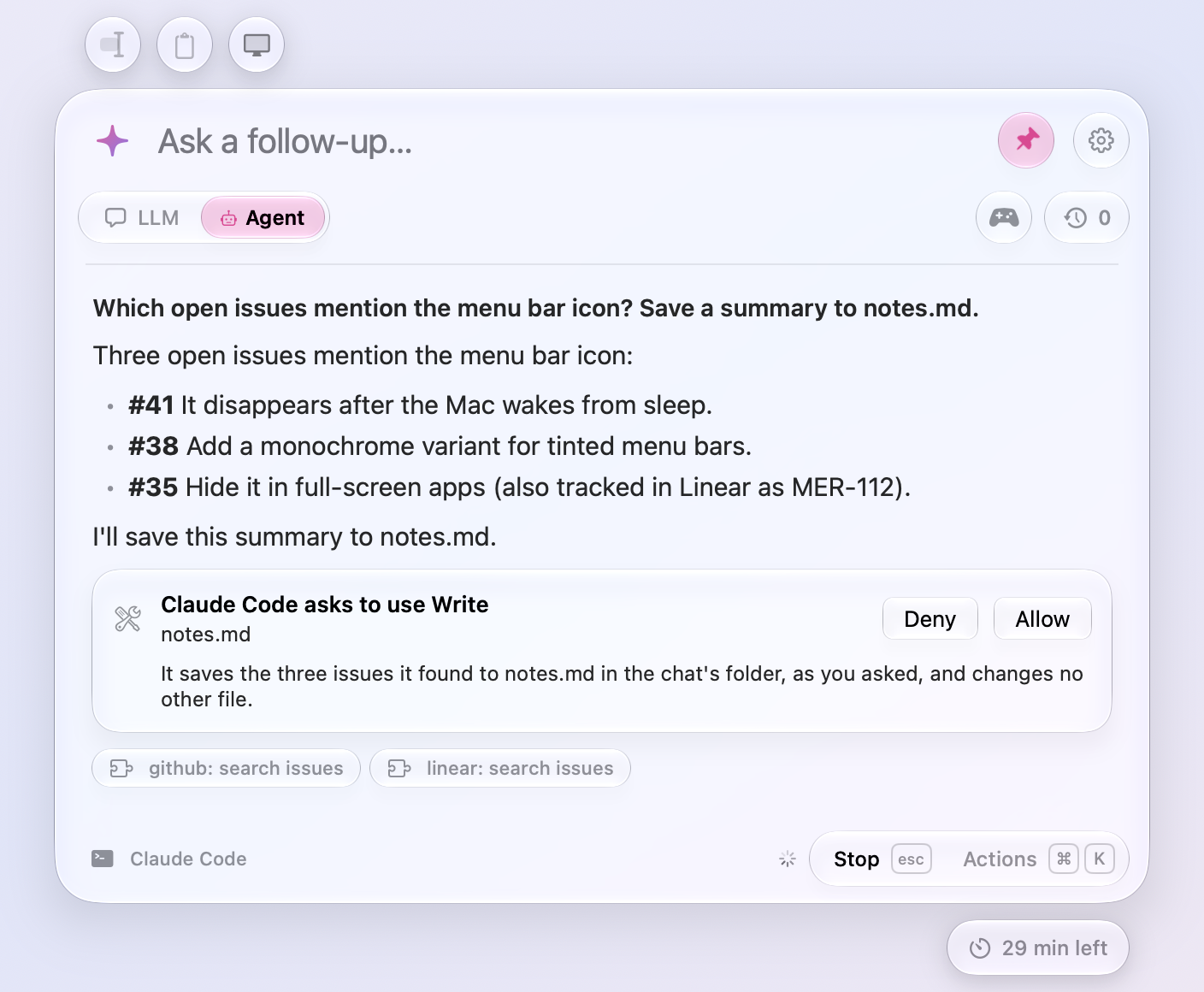
In Agent mode, the question goes to Claude Code, Codex or OpenCode, with their MCP servers enabled. Before an agent writes a file or runs a command, Meraline shows an Allow or Deny card, and a Why? button asks the agent for a one-line reason. Every chat gets its own temporary folder with copies of attachments, never the originals, and the folder is deleted with the chat.
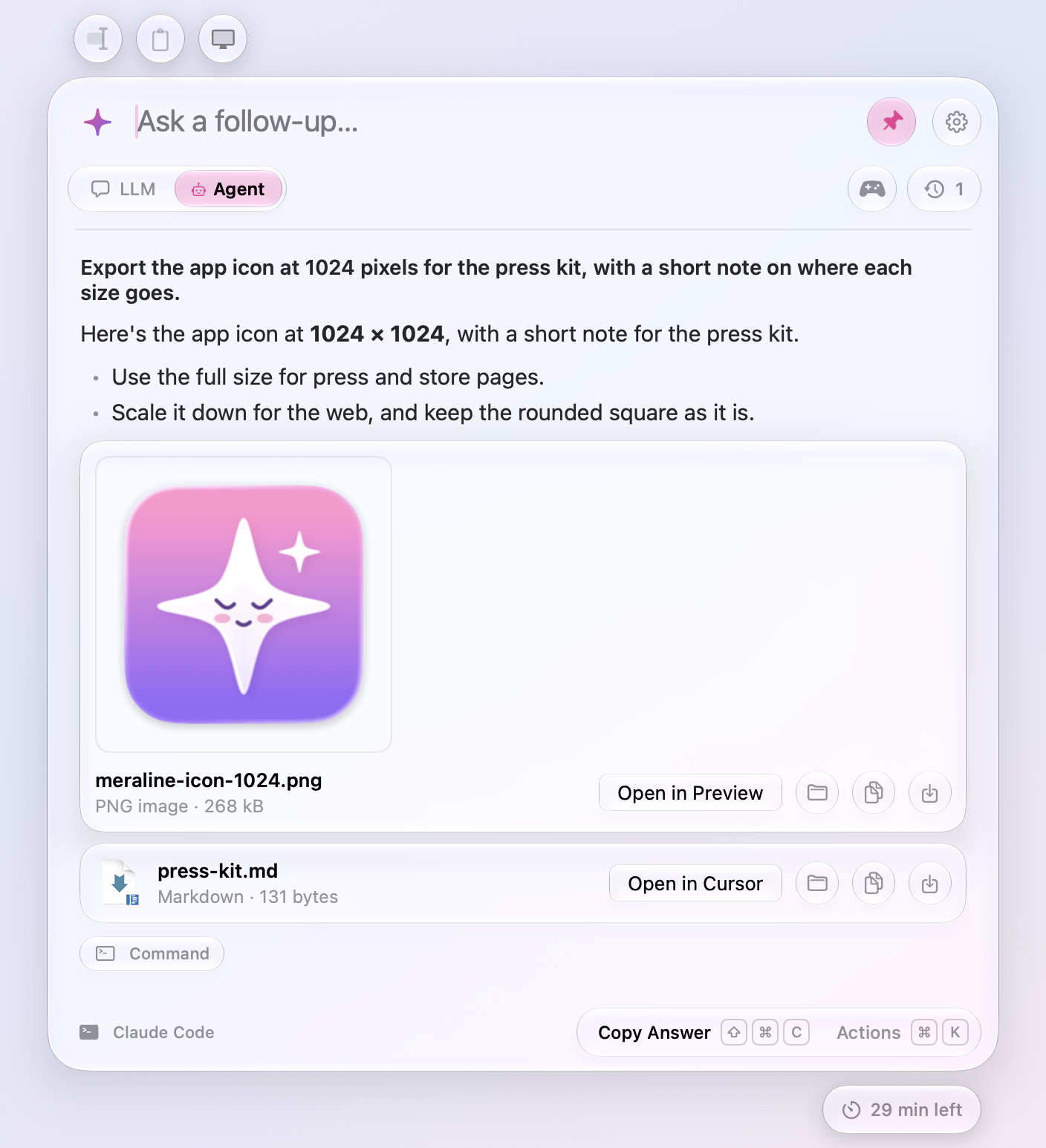
Agents can hand files back too. Meraline ships its own small MCP server with a single tool, present_files, and handed-over files appear as cards with Open, Show in Finder, Copy and Save buttons.
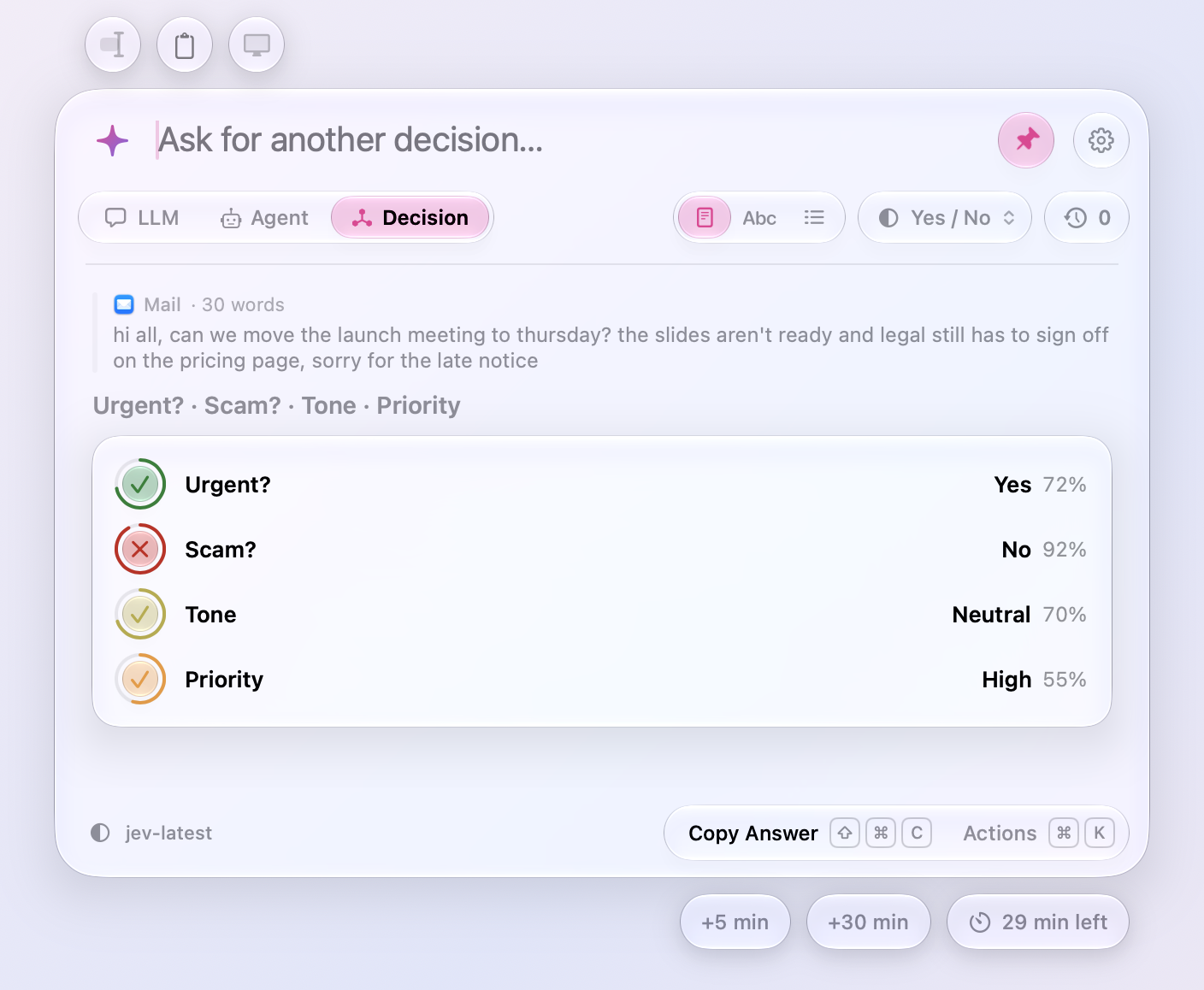
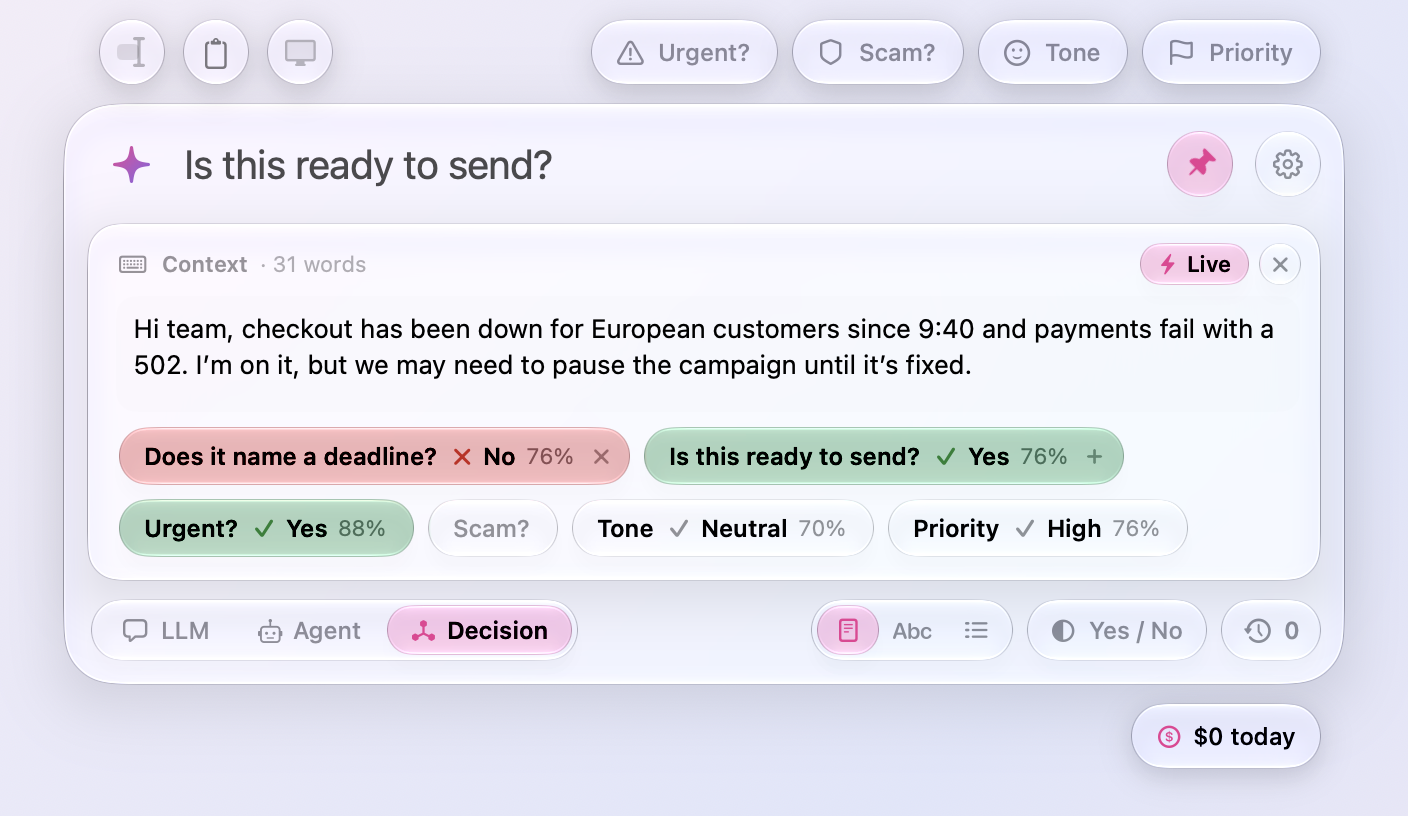
Decision mode came from the rising popularity of decision models, which answer yes or no, pick from a list, or choose a level, along with a confidence score. I saw potential that no other AI client had used yet: real-time decisions about text, and bulk processing. Here, four presets judge the same text at once: urgent, scam, tone, and priority.
Live mode re-decides as you type, so the verdicts update with every pause. This is my favourite feature. I can add a question like “Flirt?” and practise my flirting skills while writing a message.
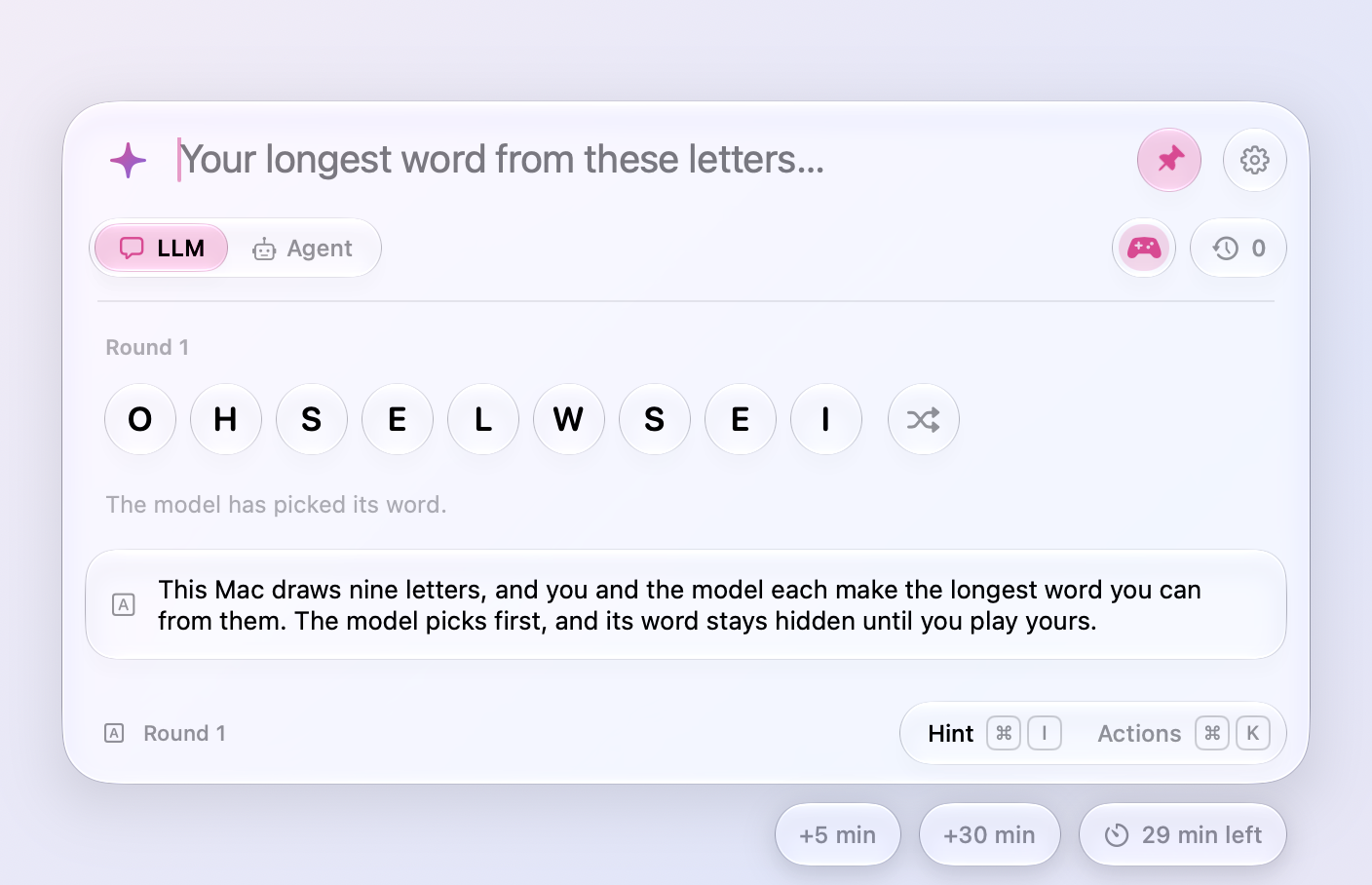
Meraline also has eight word games. I play them myself, mostly to stay sharp in boring meetings. My favourites are the rhyme training and the Scrabble-like word crafting in Longest Word.
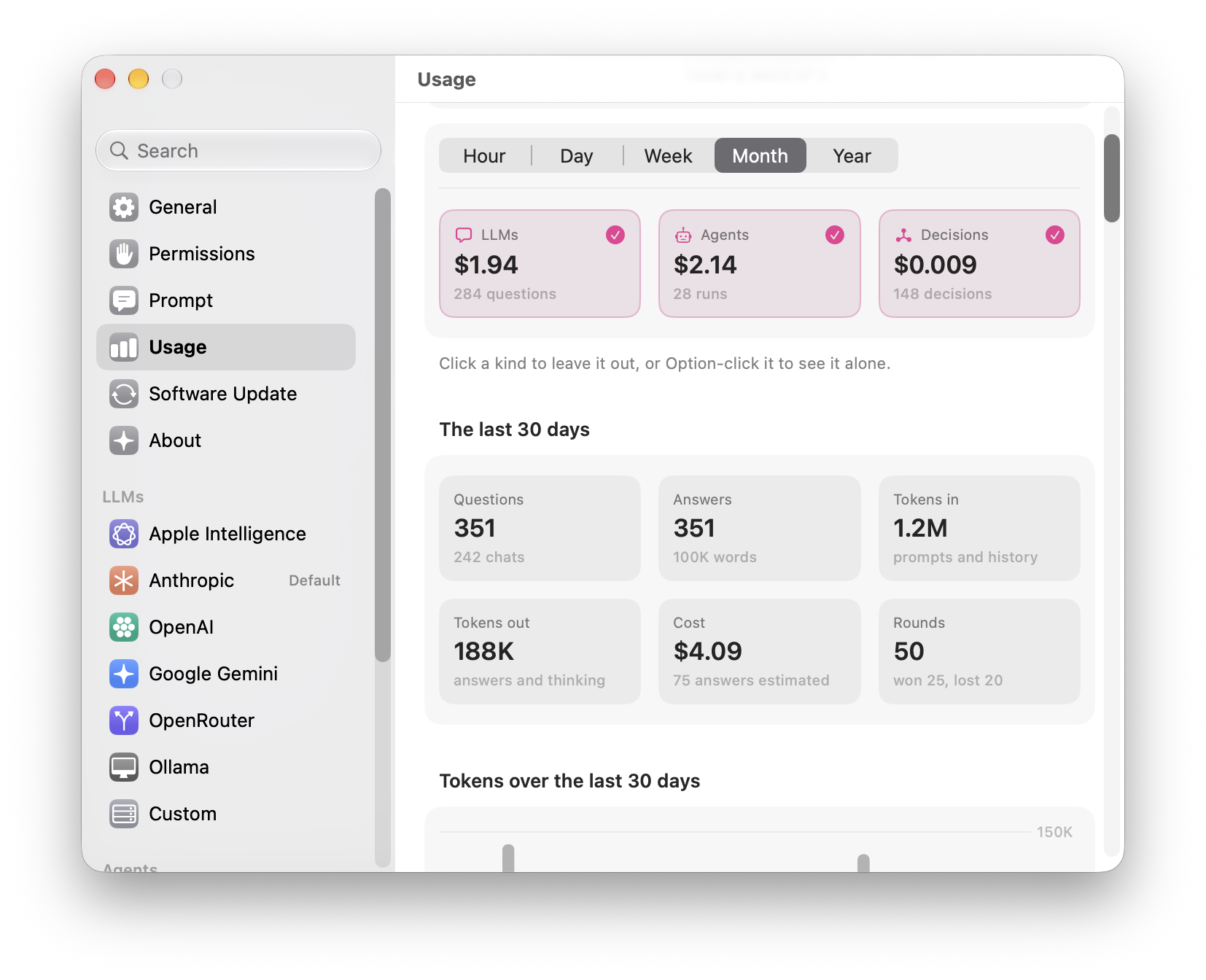
Settings follow the look of macOS System Settings. The Usage pane counts questions, tokens and costs for every mode. It stores numbers only, never content, in 5-minute slots.
Product film
To launch Meraline, I made a 96-second trailer. I chose Remotion because the agent was confident with it. It could make a full first draft, and I then kept improving the edit with my own experience. The film is cut to a 116 BPM soundtrack, with scene lengths measured in beats, so every cut lands on the music. The footage was recorded from the real app: scripts drove the mouse and keyboard, and ScreenCaptureKit recorded only Meraline’s windows, so the menu bar and notifications never appear.
I shared the launch and the two biggest updates in three X threads, each opening with a video:
- The launch with the trailer, September 26: “I made Meraline, a tiny Mac app for quick AI questions.”
- Decision mode, September 29: “Meraline now decides.”
- Live decisions, October 3: “AI is making you lazy. So Meraline now does the opposite.”
Retrospective
Meraline was my first experience with the Apple Developer Program. I learned a lot of quirks around keys, signatures, certificates and notarization. I set up the full release pipeline on day one on purpose: a signed and notarized DMG, Sparkle auto-updates with a beta channel, and a Homebrew cask. I wanted to learn to do it properly, and I took a lot of inspiration from OpenClip, where I had contributed a few pull requests before starting Meraline.
The other hard part was streaming performance. Fast providers send text quicker than the panel can redraw, so Meraline renders streamed text in batches to keep up.
Two things from the process I would happily repeat:
- Screenshots from tests. Every README and release-notes image is rendered by the test suite, in both light and dark mode. Automated screenshots turned out to be a big help for quality assessment, because every visual change shows up on its own.
- Agents trying to break the app. I ran long-running agents on my laptop, simulating usage and trying to crash the app or break its UI. It was fun to see the wild ideas they came up with.
The scope grew a lot, from a tiny app for quick questions to three modes and eight games, and that was intentional. Passion carried me at full speed for two weeks, and the result is a finished product that gives my friends and me a lot of value. By the end, both the agent and I were pretty much out of ideas, with only tiny details left to improve.
Today, Meraline is used by me, my friends, and a few members of the open-source community. If I made another promo video, I would learn more about music first. The trailer’s soundtrack is the part I am least happy with.
Future plans
- Dictation
- A web landing page
- Possibly an iOS app