
Vision
A friend of mine, and a professional e-sport player of Counter-Strike has recently messaged me about a need for a website, asking me for some recommendations. Due to the high customization Radoslav wanted, as well as integration with Kick, we couldn’t go with a website builder. I suggested Imagine, but results of those AI website builders didn’t match his expectations of quality.
I offered to help under one condition - vibe coding only. I didn’t want to spend more than a weekend on it, and I wanted to be sure entire codebase is well documented by AI itself, so in case of any bugs, a simple prompt can solve the issue. After a few back-and-forth conversations regarding maintenance, quality, and the possibility of future expansion, we agreed to proceed.
For simple (and cheap) pricing, we wanted to combine as few products as possible. We decided to use Appwrite as our backend platform, since it provides all the services we need. Appwrite doesn’t offer domain purchasing directly, so we had to use an external provider for that specifically.
Requirements for the portfolio were as follows:
- Automatic data synchronization with FACEIT and Counter-Strike2 Premier
- Ability to publish news (public) and articles (only authorized users), with a comments section
- Ability to share settings, gears, timetable and more, all fully customizable in admin panel (CMS)
- Ability to share admin access for multiple article writers
- Possibility of future expansion for giveaways, hall of fame, and more
Technologies
- Appwrite
- Databases (TablesDB) for storing user profiles, news, settings, comments, and more
- Functions for custom-made Kick OAuth provider
- Storage for news thumbnails, and article assets
- Sites for deploying Next.js SSR application
- Next.js in SSR mode
- Tailwind CSS
- AI, specifically Claude Sonnet 4.6
Most of my AI interactions were done using Claude Code
Screens
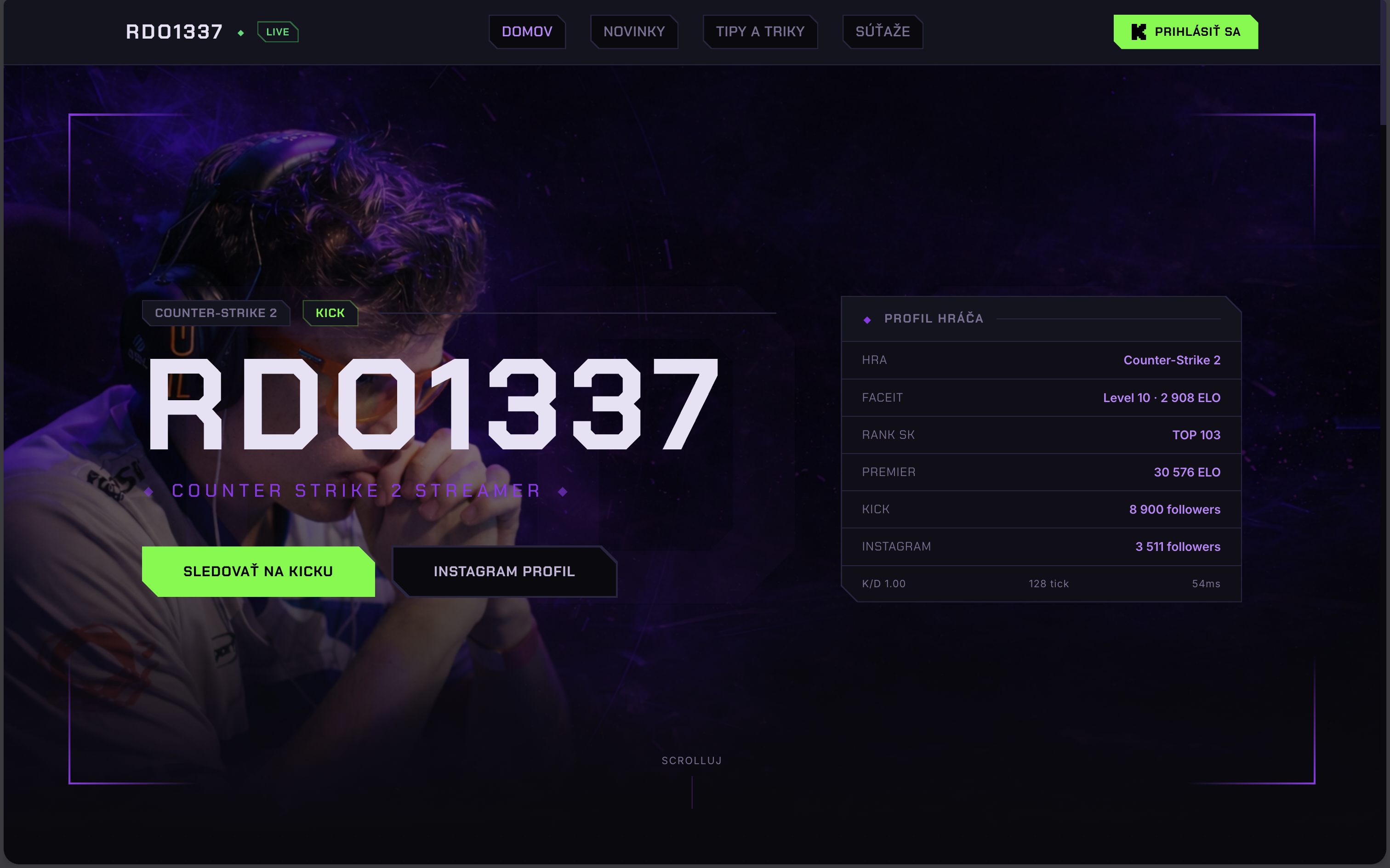
As shown on the first screenshot above, the homepage includes a simple hero section. The hero includes a card with a summary of all dynamic data, which then has separate sections on the homepage for each statistic.
A small gamification detail I included in this card is a dynamic ping calculation, which updates every two seconds with a real ping to Google servers.
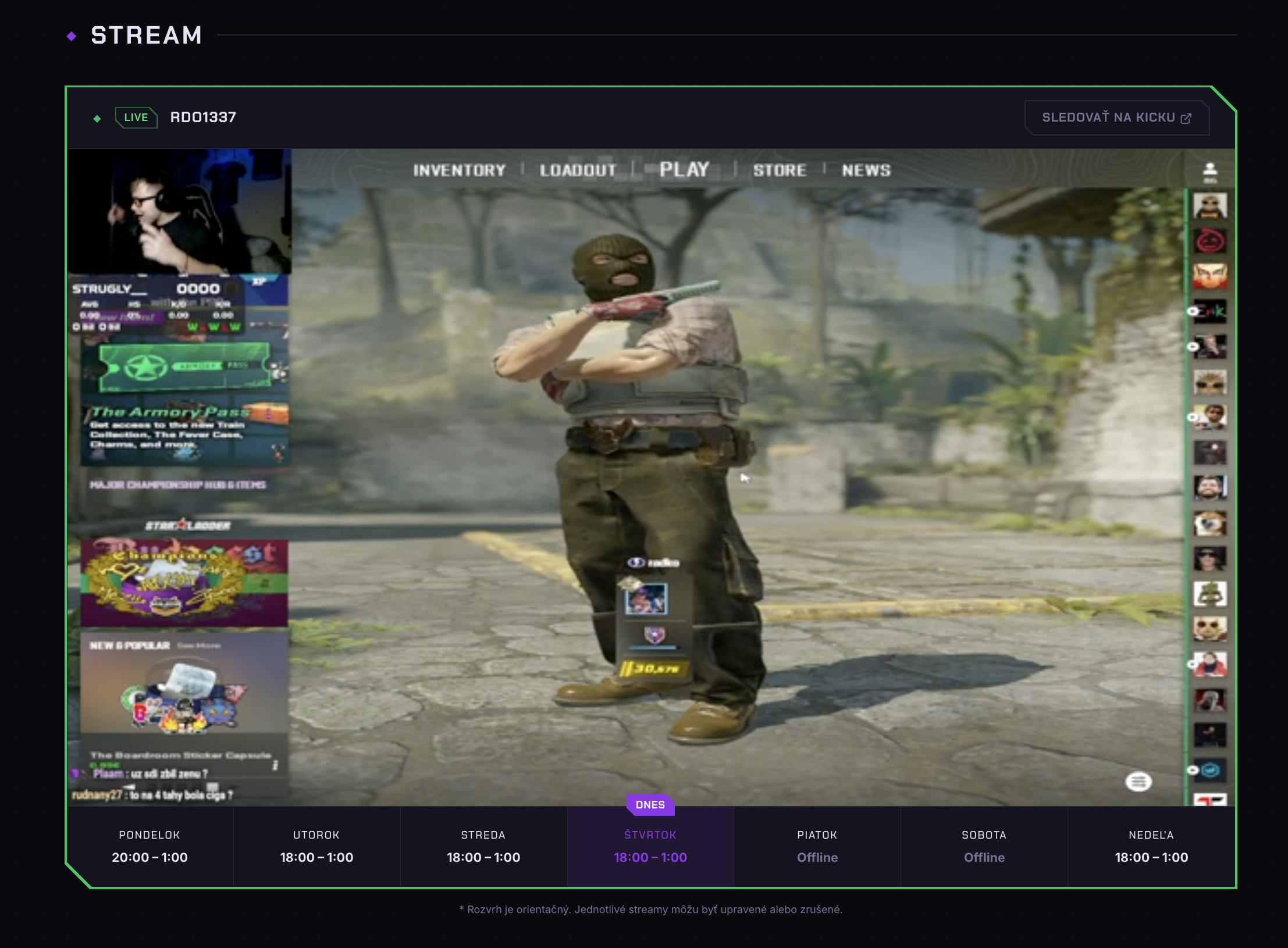
Just below the hero section, there is an iframe pointing to Radoslav’s Kick channel, a timetable, and a button to open it in a new tab. The status of the stream (offline or live) is also automatically fetched, and the card is highlighted if the stream is currently live. We can also see this detail in the header of the website.
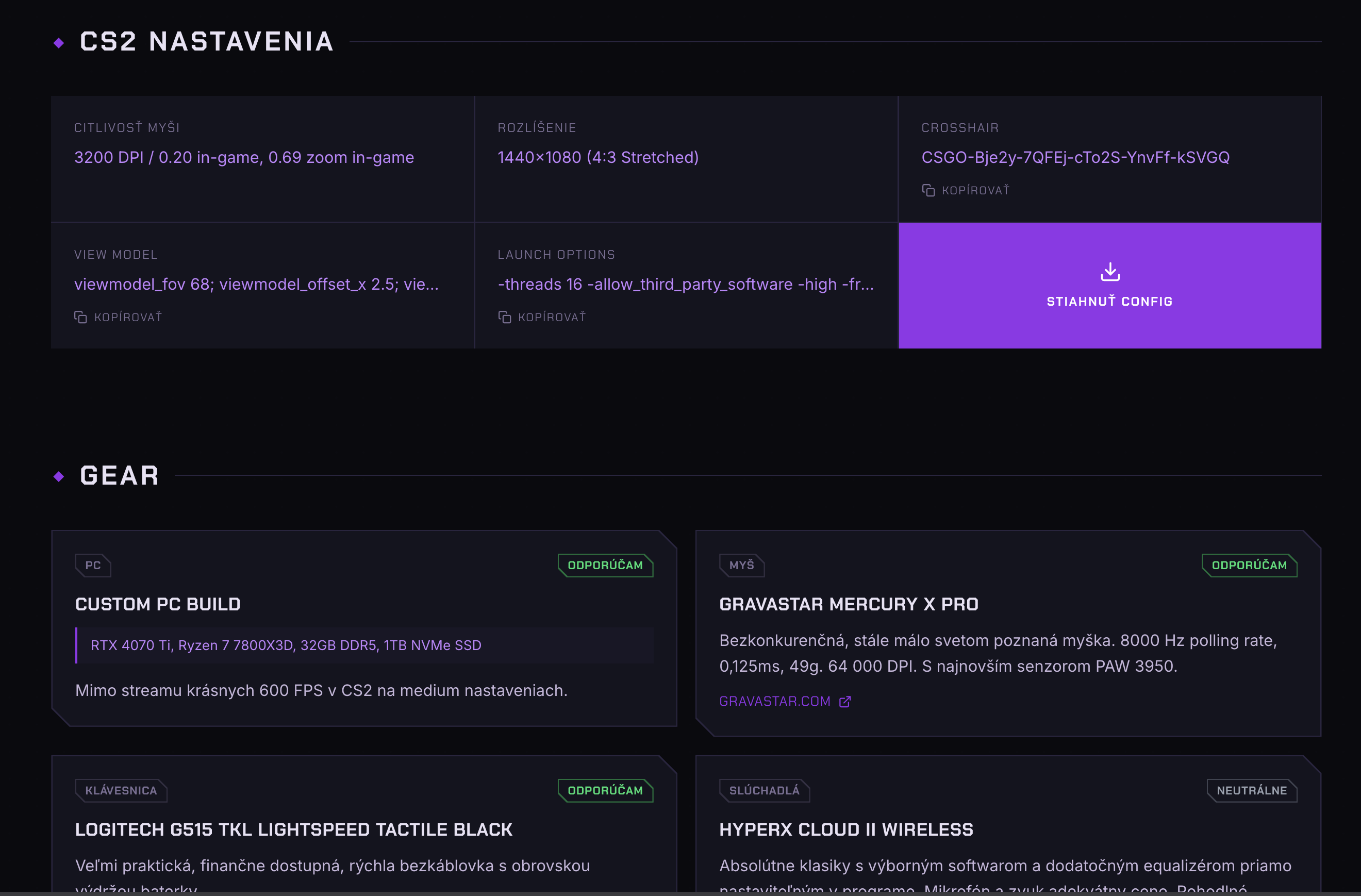
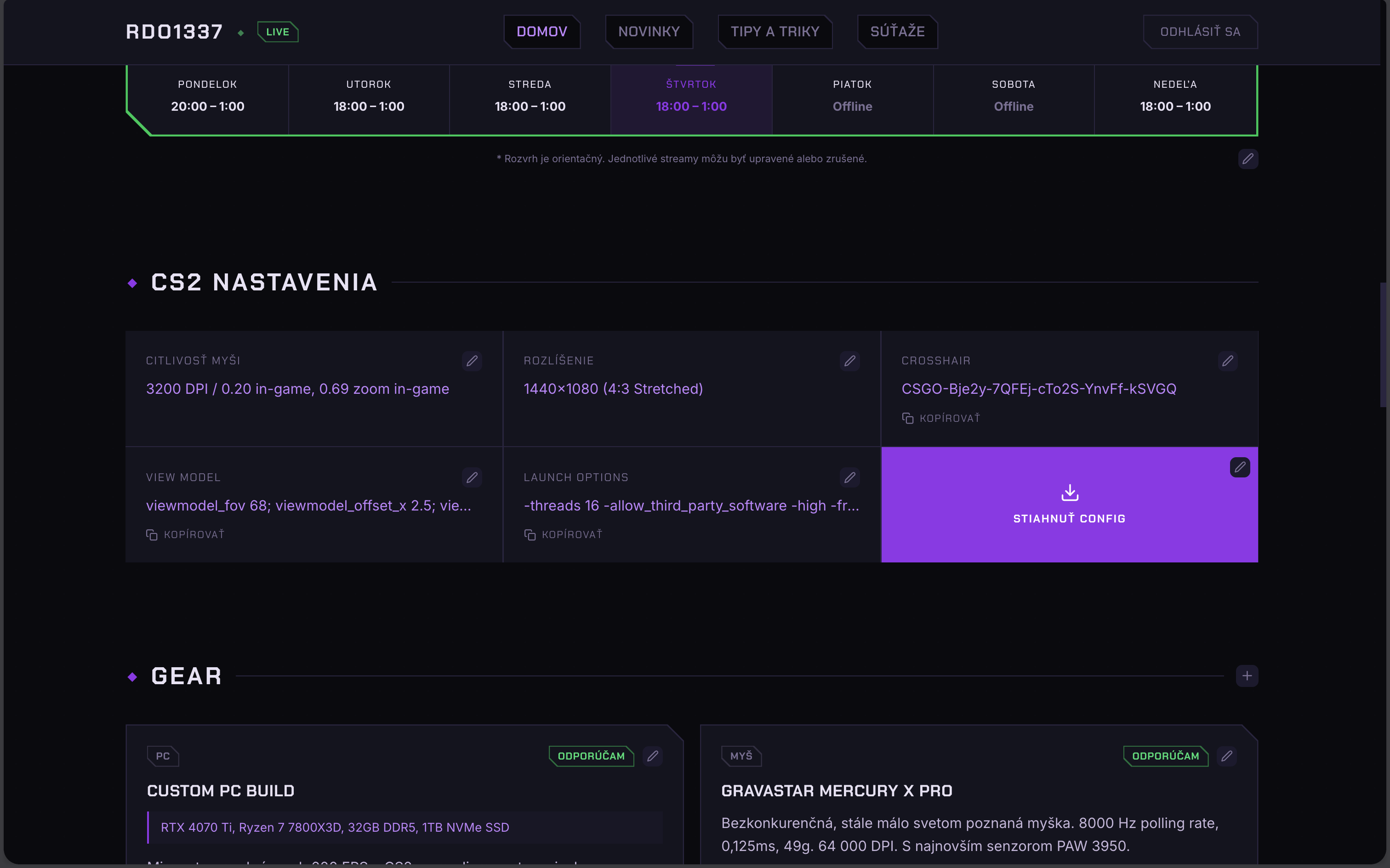
The next section includes game configuration, as this is the most commonly asked question about the streamer. Details that are commonly copied, such as cursor configuration, view model configuration, and game launch options are all truncated to a single line with a button to copy the entire text. Last but not least, the ability to download a .cfg file with the entire configuration is available, but only for signed-in users.
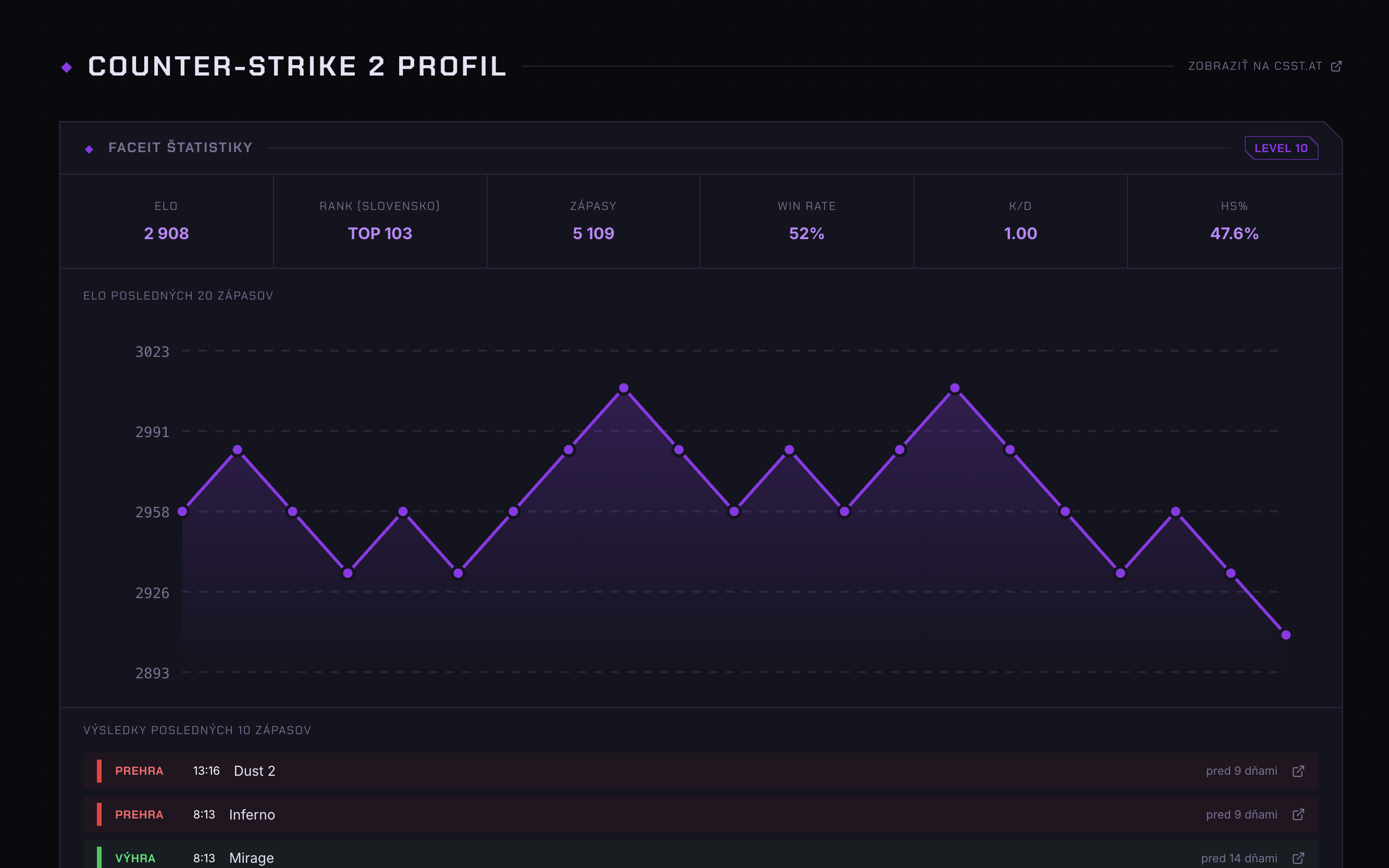
Lastly for the homepage, there is a section with Faceit statistics, including rank, total matches, win rate, and more. Below is a visual graph with rank over time, and a list of the most recent matches with a link to view them in detail.
This is expected to be the most viewed section of the website, since people often skip a few streams, but want to stay up to date with his progress towards becoming the best player in Slovakia.
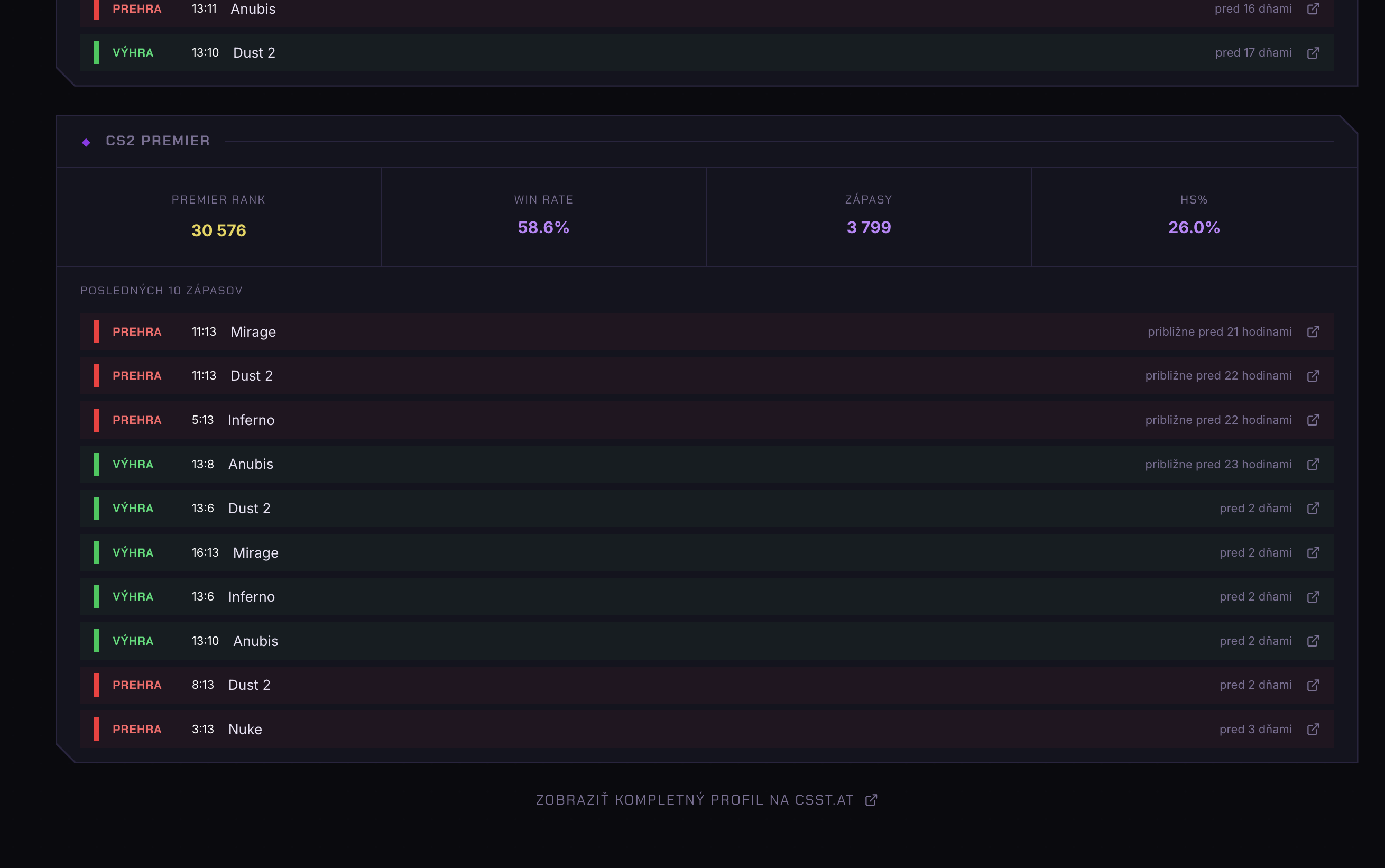
Since Radoslav doesn’t always play Faceit, and instead plays official Counter-Strike 2 premier ranked games with the community at times, he wanted to include those games too, so community members can be proud of winning a match with the streamer.
For this, we added a separate section, which has a design consistent with the Faceit statistics card.
That’s it for the homepage! But one of the requirements was the ability to fully customize the details, including data on the homepage.
I redesigned this multiple times, but in the end, landed on a very simple and intuitive design. Instead of having a separate CMS, or onboarding Radoslav to some Cloud CMS platform, we re-used Appwrite Users.
Radoslav, just like all visitors, can sign in with their Kick account. I then added Radoslav to admin team, and allowed admin team to change settings documents. Then, all I had to do was add a few buttons to add, edit and delete data directly in the homepage. Those buttons only show to members of admin team, so visitors are not affected by this.
I am very proud of this solution as it keeps the CMS part of the website, keeping the solution very minimal, and easily maintainable.
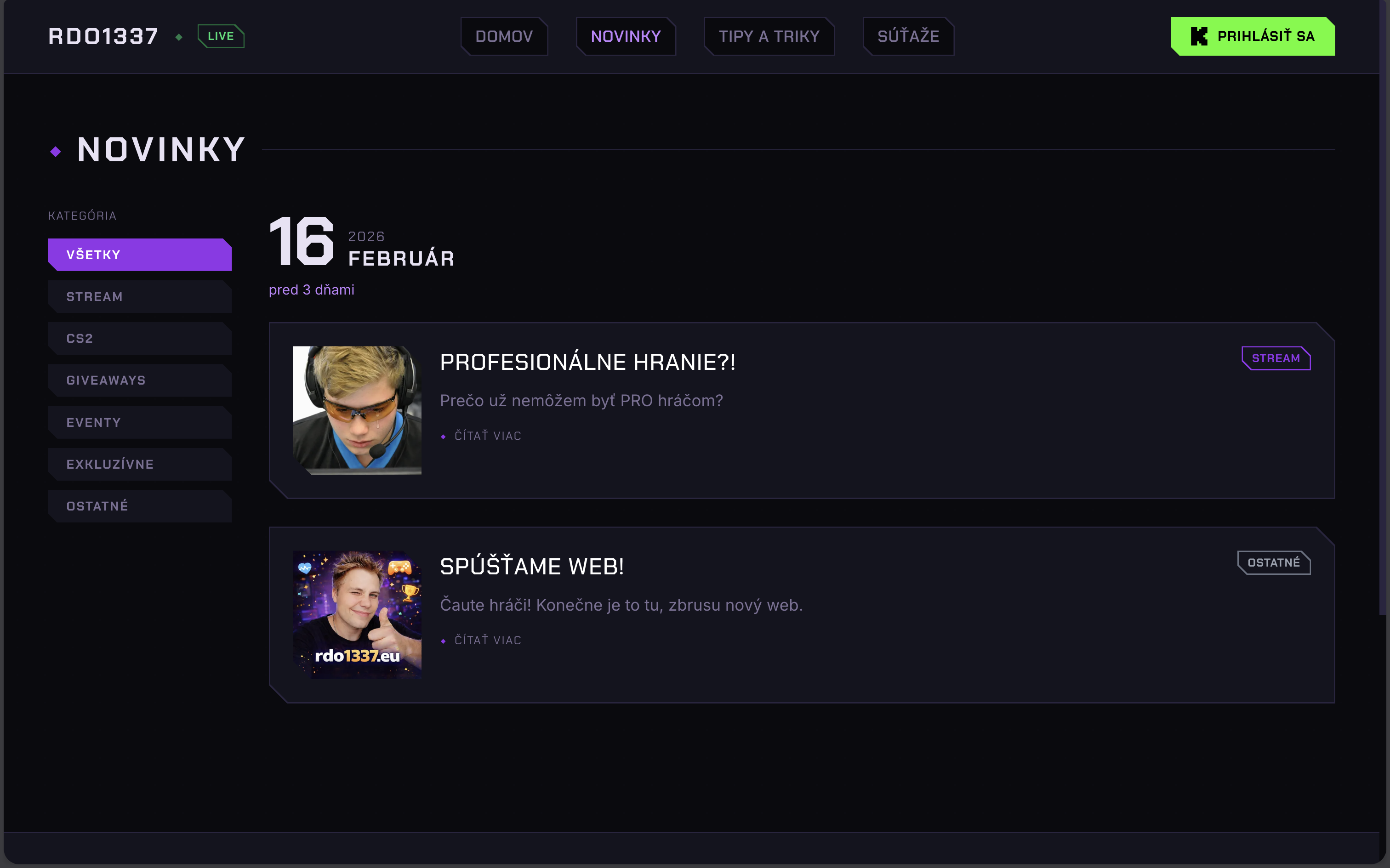
The website has multiple subpages, but for the sake of this article, we will focus on the news section, as it nicely shows all the features of the website.
Regarding design, a simple sidebar to filter categories of news, and a main section with a list of news paginated using cursor pagination. As the date was the most important detail about these news, I made it the major component of the page. A small touch I included was the ability for signed-in users to mark news as read, so when a new one appears, it will be highlighted.
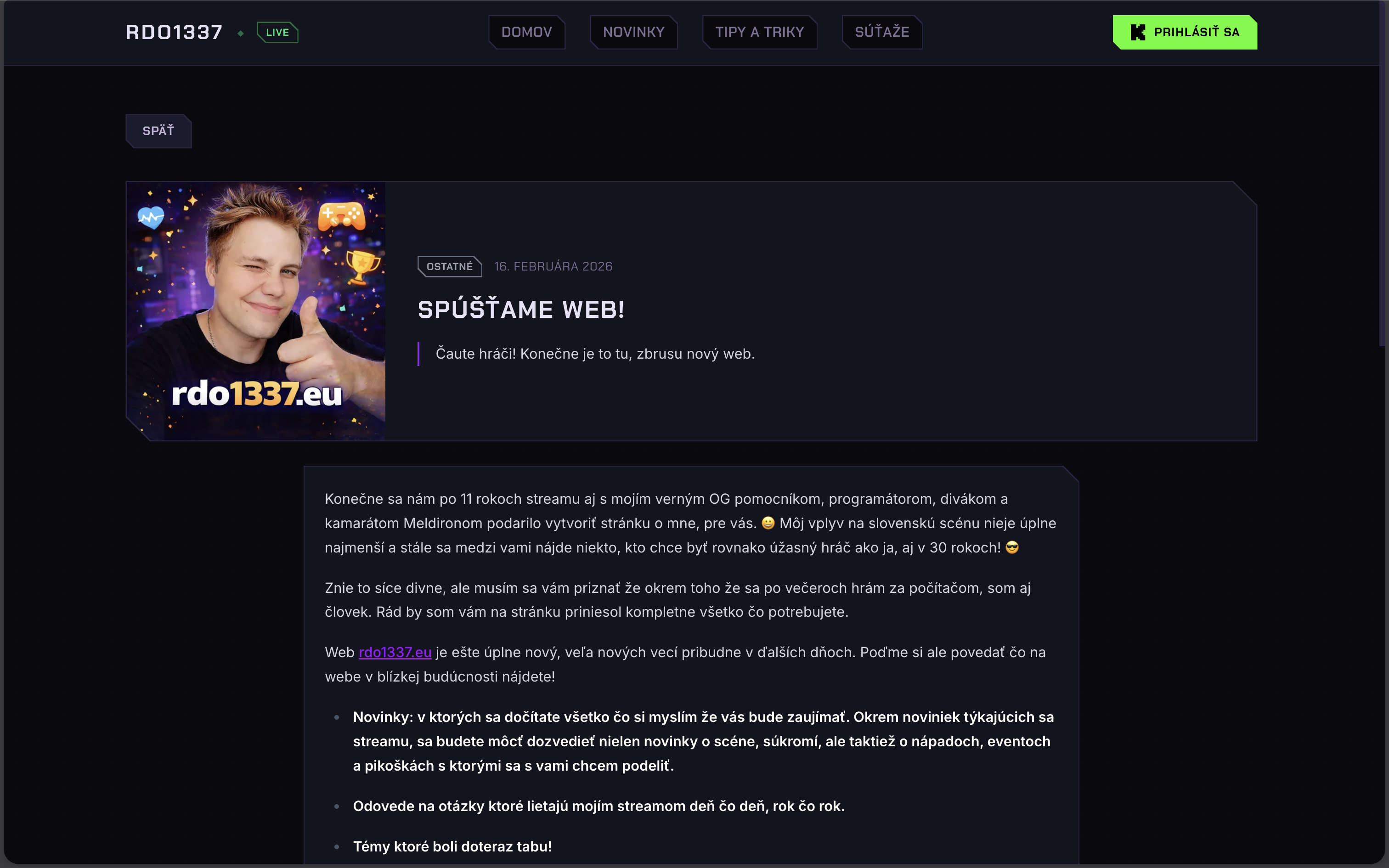
Upon clicking on the news to read it, a separate page is opened with detailed content of the news, powered by markdown. Admin mode with the ability to write and edit news was a bit of a challenge regarding markdown, because Radoslav was not familiar with markdown syntax. Thankfully, I found a component that included a split-view, one for writing, and one for previewing, both shown at the same time. With the addition of a top bar including the most common text editing tooling, Radoslav didn’t need to understand markdown syntax, and could still write his own articles.
A nice touch was a fullscreen button; since article creation happens from a modal, the markdown section was a pretty small textarea. A simple button to fullscreen the markdown component made this experience much more comfortable when pasting large contents. We also included a custom image upload button to automatically upload it to an Appwrite Storage bucket, and include a preview link for it in the article, with resize, quality and format all pre-configured.
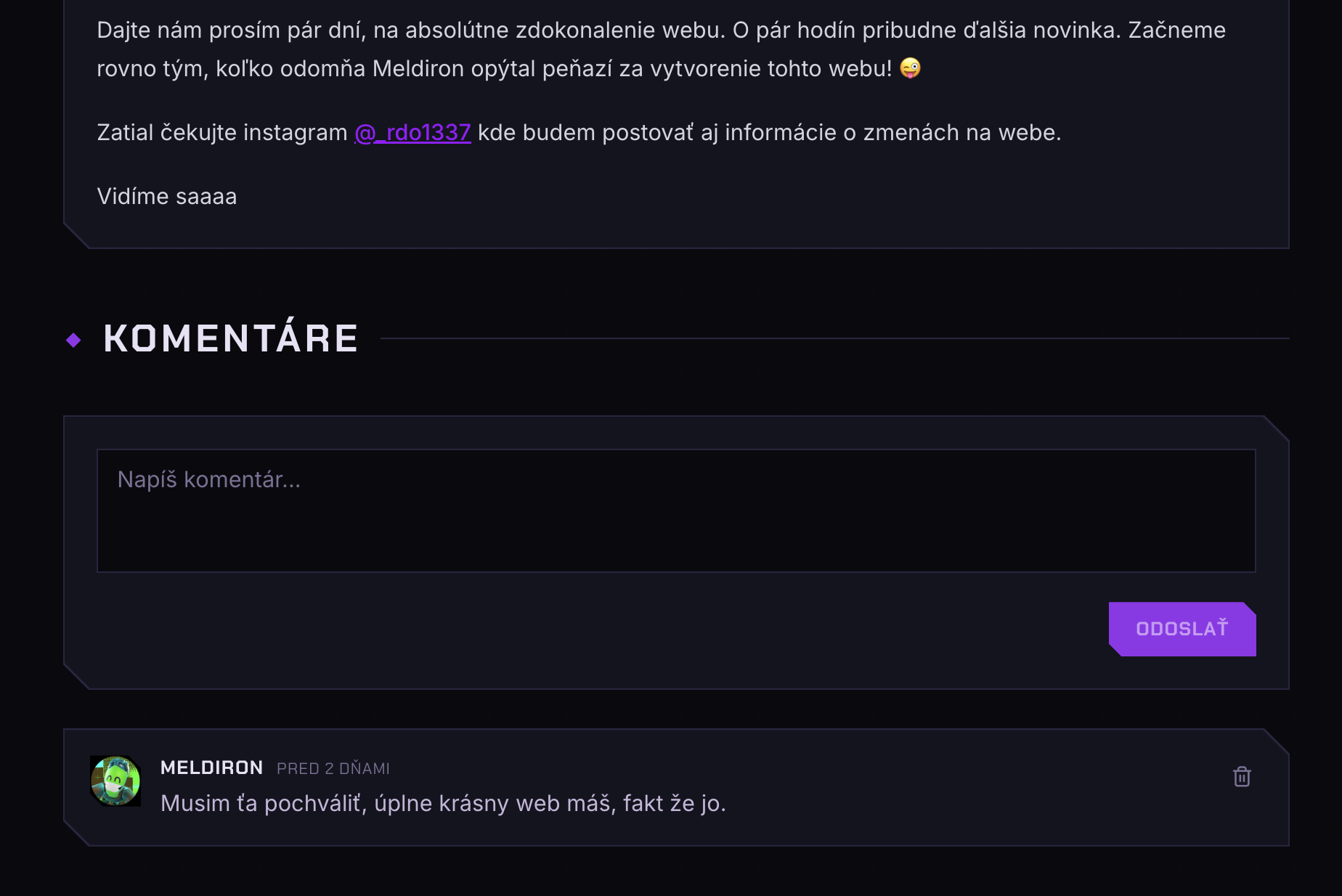
Below news article, Radoslav requested a comments section, to allow his community to correct him, or include more details that he might have missed. Thankfully this was not a problem, re-using cursor pagination from news section, and authentication section from config download.
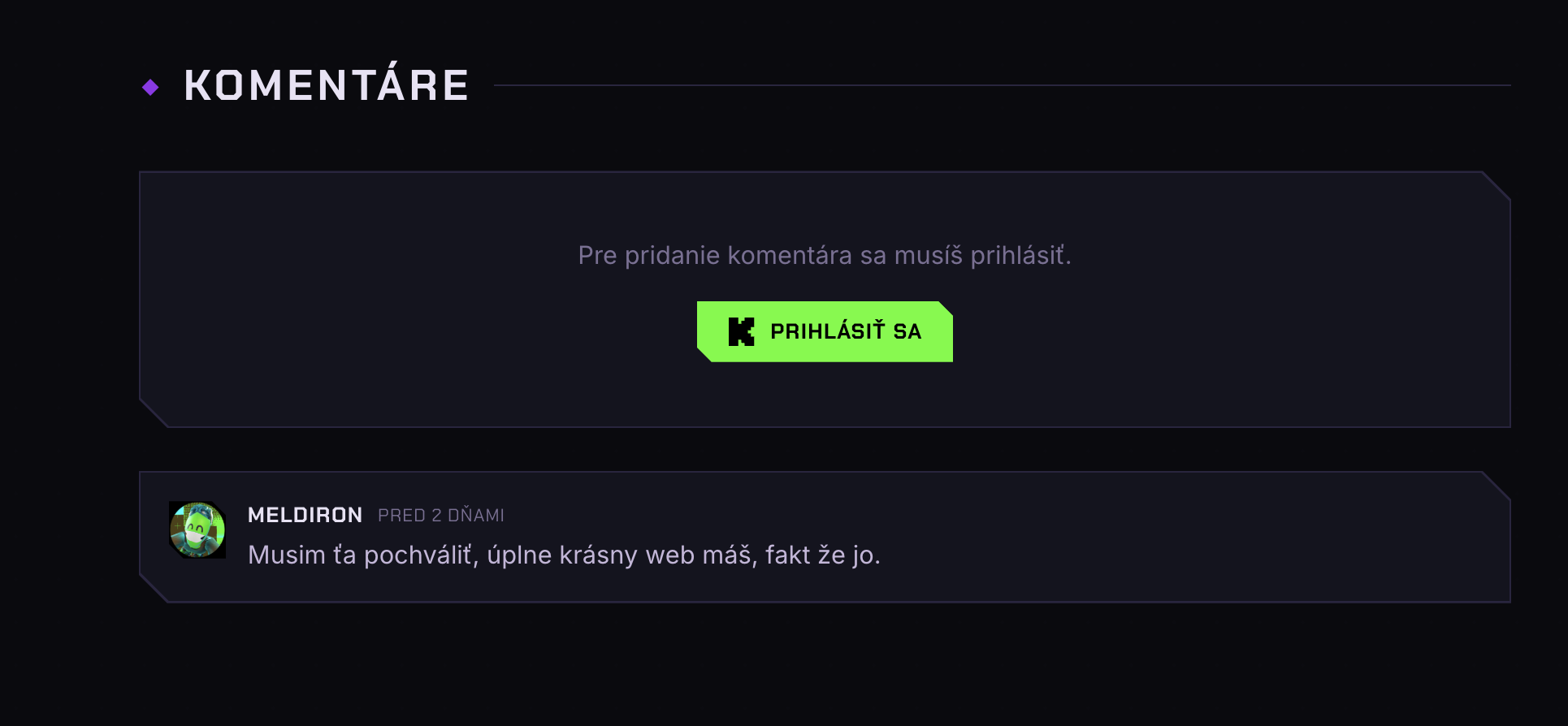
Similarly to everything else, admins can manage the comment section too. It is implemented using a minimal edit button, which allows changing the contents of a comment, or removing it. The below screenshot highlights that, as well as the ability to post new comments, which is available to all signed-in users.
Future plans
First and foremost, security. I took two shortcuts to publish the website quickly. For security reasons I will not publish details, but the solution would include proxying some of the Appwrite SDK requests through Next.js API route to protect specific attributes of TablesDB.
Performance can be improved as well, since AI is not the best with caching and invalidating data, often doing requests either from client directly to 3rd party API, or causing rate limiting errors on API routes. For now I solved this by build-time caching layer, causing data to be a little outdated, but preventing common performance bad-practices.
More pages need to be added to better support Radoslav’s community, but those plans will only go into action once we see expected engagement and value. Some of those include giveaways page, hall of fame, or viewer rewards.